Merge remote-tracking branch 'upstream/master'
* upstream/master: (1239 commits)
  Update ez.c
  removes planck/rev3 temporarily
  Move hand_swap_config to ez.c, removes error for infinity
  Update Makefile
  ergodox: Update algernon's keymap to v1.9
  Added VS Code dir to .gitignore
  Support the Pegasus Hoof controller.
  [Jack & Erez] Simplifies and documents TO
  add readme
  use wait_ms instead of _delay_ms
  add messenger
  init keymap
  Add example keymap
  Adding whiskey_tango_foxtrot_capslock ergodox keymap
  Unicode map framework. Allow unicode up to 0xFFFFF using separate mapping table
  CIE 1931 dim curve
  Apply the dim curve to the RGB output
  Update the Cluecard readme files
  Tune snake and knight intervals for Cluecard
  Tunable RGB light intervals
  ...
This commit is contained in:
 Ryan Ascheman
commit
55b8b8477c
6926 changed files with 105176 additions and 2418267 deletions
94
.gitattributes
vendored
Normal file
94
.gitattributes
vendored
Normal file
|
|
@ -0,0 +1,94 @@
|
|||
# auto for anything unspecified
|
||||
* text=auto
|
||||
|
||||
# sources
|
||||
*.c text
|
||||
*.cc text
|
||||
*.cxx text
|
||||
*.cpp text
|
||||
*.c++ text
|
||||
*.hpp text
|
||||
*.h text
|
||||
*.h++ text
|
||||
*.hh text
|
||||
*.bat text
|
||||
*.coffee text
|
||||
*.css text
|
||||
*.htm text
|
||||
*.html text
|
||||
*.inc text
|
||||
*.ini text
|
||||
*.js text
|
||||
*.jsx text
|
||||
*.json text
|
||||
*.less text
|
||||
*.php text
|
||||
*.pl text
|
||||
*.py text
|
||||
*.rb text
|
||||
*.sass text
|
||||
*.scm text
|
||||
*.scss text
|
||||
*.sh text
|
||||
*.sql text
|
||||
*.styl text
|
||||
*.ts text
|
||||
*.xml text
|
||||
*.xhtml text
|
||||
|
||||
# make files (need to always use lf for compatibility with Windows 10 bash)
|
||||
Makefile eol=lf
|
||||
*.mk eol=lf
|
||||
|
||||
# make files (need to always use lf for compatibility with Windows 10 bash)
|
||||
*.sh eol=lf
|
||||
|
||||
# documentation
|
||||
*.markdown text
|
||||
*.md text
|
||||
*.mdwn text
|
||||
*.mdown text
|
||||
*.mkd text
|
||||
*.mkdn text
|
||||
*.mdtxt text
|
||||
*.mdtext text
|
||||
*.txt text
|
||||
AUTHORS text
|
||||
CHANGELOG text
|
||||
CHANGES text
|
||||
CONTRIBUTING text
|
||||
COPYING text
|
||||
INSTALL text
|
||||
license text
|
||||
LICENSE text
|
||||
NEWS text
|
||||
readme text
|
||||
*README* text
|
||||
TODO text
|
||||
|
||||
GRAPHICS
|
||||
*.ai binary
|
||||
*.bmp binary
|
||||
*.eps binary
|
||||
*.gif binary
|
||||
*.ico binary
|
||||
*.jng binary
|
||||
*.jp2 binary
|
||||
*.jpg binary
|
||||
*.jpeg binary
|
||||
*.jpx binary
|
||||
*.jxr binary
|
||||
*.pdf binary
|
||||
*.png binary
|
||||
*.psb binary
|
||||
*.psd binary
|
||||
*.svg text
|
||||
*.svgz binary
|
||||
*.tif binary
|
||||
*.tiff binary
|
||||
*.wbmp binary
|
||||
*.webp binary
|
||||
|
||||
# hex files
|
||||
*.hex binary
|
||||
*.eep binary
|
||||
16
.gitignore
vendored
16
.gitignore
vendored
|
|
@ -1,9 +1,11 @@
|
|||
keyboard/planck/dfu-programmer.exe
|
||||
.dep
|
||||
*.o
|
||||
*.eep
|
||||
*.elf
|
||||
*.hex
|
||||
!util/bootloader.hex
|
||||
!quantum/tools/eeprom_reset.hex
|
||||
*.log
|
||||
*.lss
|
||||
*.lst
|
||||
*.map
|
||||
|
|
@ -12,12 +14,20 @@ keyboard/planck/dfu-programmer.exe
|
|||
tags
|
||||
*~
|
||||
build/
|
||||
.build/
|
||||
*.bak
|
||||
.vagrant/
|
||||
quantum/version.h
|
||||
.idea/
|
||||
CMakeLists.txt
|
||||
.DS_STORE
|
||||
|
||||
# Eclipse Settings
|
||||
# Eclipse/PyCharm/Other IDE Settings
|
||||
.cproject
|
||||
.project
|
||||
.settings/
|
||||
|
||||
.idea
|
||||
.browse.VC.db*
|
||||
*.stackdump
|
||||
util/Win_Check_Output.txt
|
||||
.vscode
|
||||
12
.gitmodules
vendored
12
.gitmodules
vendored
|
|
@ -0,0 +1,12 @@
|
|||
[submodule "lib/chibios"]
|
||||
path = lib/chibios
|
||||
url = https://github.com/ChibiOS/ChibiOS.git
|
||||
[submodule "lib/chibios-contrib"]
|
||||
path = lib/chibios-contrib
|
||||
url = https://github.com/ChibiOS/ChibiOS-Contrib.git
|
||||
[submodule "lib/ugfx"]
|
||||
path = lib/ugfx
|
||||
url = https://bitbucket.org/Tectu/ugfx
|
||||
[submodule "lib/googletest"]
|
||||
path = lib/googletest
|
||||
url = https://github.com/google/googletest
|
||||
31
.travis.yml
Normal file
31
.travis.yml
Normal file
|
|
@ -0,0 +1,31 @@
|
|||
os: linux
|
||||
dist: trusty
|
||||
sudo: required
|
||||
language: c
|
||||
compiler: avr-gcc
|
||||
branches:
|
||||
except:
|
||||
- /^.*-automated-build$/
|
||||
env:
|
||||
global:
|
||||
- secure: vBTSL34BDPxDilKUuTXqU4CJ26Pv5hogD2nghatkxSQkI1/jbdnLj/DQdPUrMJFDIY6TK3AltsBx72MaMsLQ1JO/Ou24IeHINHXzUC1FlS9yQa48cpxnhX5kzXNyGs3oa0qaFbvnr7RgYRWtmD52n4bIZuSuW+xpBv05x2OCizdT2ZonH33nATaHGFasxROm4qYZ241VfzcUv766V6RVHgL4x9V08warugs+RENVkfzxxwhk3NmkrISabze0gSVJLHBPHxroZC6EUcf/ocobcuDrCwFqtEt90i7pNIAFUE7gZsN2uE75LmpzAWin21G7lLPcPL2k4FJVd8an1HiP2WmscJU6U89fOfMb2viObnKcCzebozBCmKGtHEuXZo9FcReOx49AnQSpmESJGs+q2dL/FApkTjQiyT4J6O5dJpoww0/r57Wx0cmmqjETKBb5rSgXM51Etk3wO09mvcPHsEwrT7qH8r9XWdyCDoEn7FCLX3/LYnf/D4SmZ633YPl5gv3v9XEwxR5+04akjgnvWDSNIaDbWBdxHNb7l4pMc+WR1bwCyMyA7KXj0RrftEGOrm9ZRLe6BkbT4cycA+j77nbPOMcyZChliV9pPQos+4TOJoTzcK2L8yWVoY409aDNVuAjdP6Yum0R2maBGl/etLmIMpJC35C5/lZ+dUNjJAM=
|
||||
matrix:
|
||||
- TARGET=all-keyboards AUTOGEN=true
|
||||
- TARGET=test AUTOGEN=false
|
||||
script:
|
||||
- make $TARGET AUTOGEN=$AUTOGEN
|
||||
addons:
|
||||
apt:
|
||||
packages:
|
||||
- avr-libc
|
||||
- gcc-avr
|
||||
- dfu-programmer
|
||||
- pandoc
|
||||
- gcc-arm-none-eabi
|
||||
- binutils-arm-none-eabi
|
||||
- libnewlib-arm-none-eabi
|
||||
- diffutils
|
||||
after_success:
|
||||
if [ "$AUTOGEN" == "true" ]; then
|
||||
bash util/travis_compiled_push.sh;
|
||||
fi
|
||||
|
|
@ -1,77 +0,0 @@
|
|||
@SETLOCAL ENABLEEXTENSIONS ENABLEDELAYEDEXPANSION
|
||||
@ECHO OFF
|
||||
SET CMDLINERUNSTR=%SystemRoot%\system32\cmd.exe
|
||||
|
||||
SET NEWPATH1="C:\MinGW\msys\1.0\bin"
|
||||
SET NEWPATH2="C:\MinGW\bin"
|
||||
|
||||
:: Make sure we're running with administrator privileges
|
||||
NET SESSION >nul 2>&1
|
||||
IF ERRORLEVEL 1 (
|
||||
ECHO FAILED. Run this script with administrator privileges.
|
||||
GOTO ExitBatch
|
||||
)
|
||||
|
||||
:: Make sure the second path exists. The first path won't be created until the second script is run
|
||||
IF NOT EXIST !NEWPATH2! (ECHO Path not found: %NEWPATH2% && GOTO ExitBatch)
|
||||
|
||||
:: Add paths
|
||||
CALL :AddPath %NEWPATH1%
|
||||
CALL :AddPath %NEWPATH2%
|
||||
|
||||
:: Branch to UpdateEnv if we need to update
|
||||
IF DEFINED UPDATE (GOTO UpdateEnv)
|
||||
|
||||
GOTO ExitBatch
|
||||
|
||||
:: -----------------------------------------------------------------------------
|
||||
|
||||
:UpdateEnv
|
||||
ECHO Making updated PATH go live . . .
|
||||
REG delete HKCU\Environment /F /V TEMPVAR > nul 2>&1
|
||||
setx TEMPVAR 1 > nul 2>&1
|
||||
REG delete HKCU\Environment /F /V TEMPVAR > nul 2>&1
|
||||
IF NOT !cmdcmdline! == !CMDLINERUNSTR! (CALL :KillExplorer)
|
||||
GOTO ExitBatch
|
||||
|
||||
:: -----------------------------------------------------------------------------
|
||||
|
||||
:ExitBatch
|
||||
ENDLOCAL
|
||||
PAUSE
|
||||
EXIT /b
|
||||
|
||||
:: -----------------------------------------------------------------------------
|
||||
|
||||
:AddPath <pathToAdd>
|
||||
ECHO %PATH% | FINDSTR /C:"%~1" > nul
|
||||
IF ERRORLEVEL 1 (
|
||||
REG add "HKLM\SYSTEM\CurrentControlSet\Control\Session Manager\Environment" /f /v PATH /t REG_SZ /d "%PATH%;%~1" > nul 2>&1
|
||||
IF ERRORLEVEL 0 (
|
||||
ECHO Adding %1 . . . Success!
|
||||
SET "PATH=%PATH%;%~1"
|
||||
SET UPDATE=1
|
||||
) ELSE (
|
||||
ECHO Adding %1 . . . FAILED. Run this script with administrator privileges.
|
||||
)
|
||||
) ELSE (
|
||||
ECHO Skipping %1 - Already in PATH
|
||||
)
|
||||
EXIT /b
|
||||
|
||||
:: -----------------------------------------------------------------------------
|
||||
|
||||
:KillExplorer
|
||||
|
||||
ECHO Your desktop is being restarted, please wait. . .
|
||||
ping -n 5 127.0.0.1 > NUL 2>&1
|
||||
ECHO Killing process Explorer.exe. . .
|
||||
taskkill /f /im explorer.exe
|
||||
ECHO.
|
||||
ECHO Your desktop is now loading. . .
|
||||
ping -n 5 127.0.0.1 > NUL 2>&1
|
||||
ECHO.
|
||||
ping -n 5 127.0.0.1 > NUL 2>&1
|
||||
START explorer.exe
|
||||
START explorer.exe %CD%
|
||||
EXIT /b
|
||||
|
|
@ -1,63 +0,0 @@
|
|||
@SETLOCAL ENABLEEXTENSIONS ENABLEDELAYEDEXPANSION
|
||||
@ECHO OFF
|
||||
|
||||
SET STARTINGDIR=%CD%
|
||||
|
||||
:: Check for admin privilages
|
||||
SETX /M test test > nul 2>&1
|
||||
IF NOT ["%ERRORLEVEL%"]==["0"] (
|
||||
ECHO FAILED. Rerun with administrator privileges.
|
||||
GOTO ExitBatch
|
||||
)
|
||||
|
||||
:: Make sure path to MinGW exists - if so, CD to it
|
||||
SET MINGWPATH="C:\MinGW\bin"
|
||||
IF NOT EXIST !MINGWPATH! (ECHO Path not found: %MINGWPATH% && GOTO ExitBatch)
|
||||
CD /D %MINGWPATH%
|
||||
|
||||
|
||||
ECHO ------------------------------------------
|
||||
ECHO Installing wget and unzip
|
||||
ECHO ------------------------------------------
|
||||
mingw-get install msys-wget-bin msys-unzip-bin
|
||||
|
||||
MKDIR temp
|
||||
CD temp
|
||||
|
||||
ECHO ------------------------------------------
|
||||
ECHO Installing dfu-programmer.
|
||||
ECHO ------------------------------------------
|
||||
wget http://iweb.dl.sourceforge.net/project/dfu-programmer/dfu-programmer/0.7.2/dfu-programmer-win-0.7.2.zip
|
||||
unzip dfu-programmer-win-0.7.2.zip
|
||||
COPY dfu-programmer.exe ..
|
||||
|
||||
ECHO ------------------------------------------
|
||||
ECHO Downloading driver
|
||||
ECHO ------------------------------------------
|
||||
wget http://iweb.dl.sourceforge.net/project/libusb-win32/libusb-win32-releases/1.2.6.0/libusb-win32-bin-1.2.6.0.zip
|
||||
unzip libusb-win32-bin-1.2.6.0.zip
|
||||
COPY libusb-win32-bin-1.2.6.0\bin\x86\libusb0_x86.dll ../libusb0.dll
|
||||
|
||||
ECHO ------------------------------------------
|
||||
ECHO Installing driver. Accept prompt.
|
||||
ECHO ------------------------------------------
|
||||
IF EXIST "%WinDir%\System32\PnPUtil.exe" (%WinDir%\System32\PnPUtil.exe -i -a dfu-prog-usb-1.2.2\atmel_usb_dfu.inf && GOTO PNPUTILFOUND)
|
||||
IF EXIST "%WinDir%\Sysnative\PnPUtil.exe" (%WinDir%\Sysnative\PnPUtil.exe -i -a dfu-prog-usb-1.2.2\atmel_usb_dfu.inf && GOTO PNPUTILFOUND)
|
||||
|
||||
ECHO FAILED. Could not find PnPUtil.exe in "%WinDir%\System32" or "%WinDir%\Sysnative".
|
||||
|
||||
:PNPUTILFOUND
|
||||
|
||||
:: Wait then delete directory
|
||||
ping -n 5 127.0.0.1 > NUL 2>&1
|
||||
CD ..
|
||||
RD /s /q temp
|
||||
|
||||
ECHO ------------------------------------------
|
||||
ECHO Finished!
|
||||
|
||||
:ExitBatch
|
||||
CD /D %STARTINGDIR%
|
||||
ENDLOCAL
|
||||
PAUSE
|
||||
EXIT /b
|
||||
|
|
@ -1,60 +0,0 @@
|
|||
# Build Guide
|
||||
|
||||
## Build Environment Setup
|
||||
|
||||
### Windows
|
||||
1. If you have ever installed WinAVR, uninstall it.
|
||||
2. Install [MHV AVR Tools](https://infernoembedded.com/sites/default/files/project/MHV_AVR_Tools_20131101.exe). Disable smatch, but **be sure to leave the option to add the tools to the PATH checked**.
|
||||
3. Install [MinGW](https://sourceforge.net/projects/mingw/files/Installer/mingw-get-setup.exe/download). During installation, uncheck the option to install a graphical user interface. **DO NOT change the default installation folder.** The scripts depend on the default location.
|
||||
4. Clone this repository. [This link will download it as a zip file, which you'll need to extract.](https://github.com/jackhumbert/qmk_firmware/archive/master.zip) Open the extracted folder in Windows Explorer.
|
||||
5. Right-click on the 1-setup-path-win batch script, select "Run as administrator", and accept the User Account Control prompt. Press the spacebar to dismiss the success message in the command prompt that pops up.
|
||||
6. Right-click on the 2-setup-environment-win batch script, select "Run as administrator", and accept the User Account Control prompt. This part may take a couple of minutes, and you'll need to approve a driver installation, but once it finishes, your environment is complete!
|
||||
7. Future build commands should be run from the standard Windows command prompt, which you can find by searching for "command prompt" from the start menu or start screen. Ignore the "MHV AVR Shell".
|
||||
|
||||
### Mac
|
||||
If you're using [homebrew,](http://brew.sh/) you can use the following commands:
|
||||
|
||||
brew tap osx-cross/avr
|
||||
brew install avr-libc
|
||||
brew install dfu-programmer
|
||||
|
||||
This is the recommended method. If you don't have homebrew, [install it!](http://brew.sh/) It's very much worth it for anyone who works in the command line.
|
||||
|
||||
You can also try these instructions:
|
||||
|
||||
1. Install Xcode from the App Store.
|
||||
2. Install the Command Line Tools from `Xcode->Preferences->Downloads`.
|
||||
3. Install [DFU-Programmer][dfu-prog].
|
||||
|
||||
### Linux
|
||||
Install AVR GCC, AVR libc, and dfu-progammer with your favorite package manager.
|
||||
|
||||
Debian/Ubuntu example:
|
||||
|
||||
sudo apt-get update
|
||||
sudo apt-get install gcc-avr avr-libc dfu-programmer
|
||||
|
||||
### Vagrant
|
||||
If you have any problems building the firmware, you can try using a tool called Vagrant. It will set up a virtual computer with a known configuration that's ready-to-go for firmware building. OLKB does NOT host the files for this virtual computer. Details on how to set up Vagrant are in the [VAGRANT_GUIDE file](VAGRANT_GUIDE.md).
|
||||
|
||||
## Verify Your Installation
|
||||
1. If you haven't already, obtain this repository ([https://github.com/jackhumbert/qmk_firmware](https://github.com/jackhumbert/qmk_firmware)). You can either download it as a zip file and extract it, or clone it using the command line tool git or the Github Desktop application.
|
||||
2. Open up a terminal or command prompt and navigate to the qmk_firmware folder using the `cd` command. The command prompt will typically open to your home directory. If, for example, you cloned the repository to your Documents folder, then you would type `cd Documents/qmk_firmware`. If you extracted the file from a zip, then it may be named `qmk_firmware-master` instead.
|
||||
3. To confirm that you're in the correct location, you can display the contents of your current folder using the `dir` command on Windows, or the `ls` command on Linux or Mac. You should see several files, including `README.md` and a `quantum` folder. From here, you need to navigate to the appropriate folder under `keyboard/`. For example, if you're building for a Planck, run `cd keyboard/planck`.
|
||||
4. Once you're in the correct keyboard-specific folder, run the `make` command. This should output a lot of information about the build process.
|
||||
|
||||
## Customizing, Building, and Deploying Your Firmware
|
||||
|
||||
Note: Some keyboard folders have non-standard organizations, and may not even support specifying alternate keymaps. Until these get reorganized, you will need to edit their default keymaps directly.
|
||||
|
||||
1. Running the `make` command from your keyboard's folder will generate a .hex file based on the default keymap. All keymaps for a particular keyboard live in the `keymaps` folder in that keyboard's folder. To create your own keymap, copy `keymaps/default/keymap.c` to the `keymaps` folder, and rename it with your name, for example jack.c. Or, if you don't care about the ability to share your keymap with the community via GitHub, you can just modify the default keymap itself. Details on how to program keymap files can be found in other guides.
|
||||
2. To build a keymap other than the default, type `KEYMAP=<name>` after `make`. So if I've named my keymap jack.c, the full command would be `make KEYMAP=jack`.
|
||||
3. How you deploy the firmware will depend on whether you are using a PCB or a Teensy. In both cases, you'll need to put the keyboard in bootloader mode, either by pressing a button on the PCB/Teensy or pressing the key with the `RESET` keycode. Then, if you're using a PCB, just run `make KEYMAP=<name> dfu` to both build and deploy the firmware. If you're using a Teensy, you'll probably need to take the <keyboardname>.hex file that make produces in the keyboard's folder, and deploy it using the [Teensy Loader.](https://www.pjrc.com/teensy/loader.html)
|
||||
|
||||
## Helpful Tips
|
||||
1. On Linux or OS X, you can run `sleep 5; make KEYMAP=<name> dfu` to delay building/deploying the firmware until for 5 seconds, giving you a chance to put the firmware into bootloader mode. You can change the 5 to any number of seconds.
|
||||
|
||||
## Troubleshooting
|
||||
1. Try running `make clean` if the make command fails.
|
||||
|
||||
WIP
|
||||
28
Dockerfile
Normal file
28
Dockerfile
Normal file
|
|
@ -0,0 +1,28 @@
|
|||
FROM debian:jessie
|
||||
MAINTAINER Erik Dasque <erik@frenchguys.com>
|
||||
|
||||
RUN apt-get update
|
||||
RUN apt-get install --no-install-recommends -y build-essential \
|
||||
gcc \
|
||||
unzip \
|
||||
wget \
|
||||
zip \
|
||||
gcc-avr \
|
||||
binutils-avr \
|
||||
avr-libc \
|
||||
dfu-programmer \
|
||||
dfu-util \
|
||||
gcc-arm-none-eabi \
|
||||
binutils-arm-none-eabi \
|
||||
libnewlib-arm-none-eabi \
|
||||
git
|
||||
|
||||
RUN apt-get clean
|
||||
RUN rm -rf /var/lib/apt/lists/*
|
||||
|
||||
ENV keyboard=ergodox
|
||||
ENV keymap=default
|
||||
|
||||
VOLUME /qmk
|
||||
WORKDIR /qmk
|
||||
CMD make clean ; make keyboard=${keyboard} keymap=${keymap}
|
||||
519
Makefile
Normal file
519
Makefile
Normal file
|
|
@ -0,0 +1,519 @@
|
|||
ifndef VERBOSE
|
||||
.SILENT:
|
||||
endif
|
||||
|
||||
# Never run this makefile in parallel, as it could screw things up
|
||||
# It won't affect the submakes, so you still get the speedup from specifying -jx
|
||||
.NOTPARALLEL:
|
||||
|
||||
# Allow the silent with lower caps to work the same way as upper caps
|
||||
ifdef silent
|
||||
SILENT = $(silent)
|
||||
endif
|
||||
|
||||
ifdef SILENT
|
||||
SUB_IS_SILENT := $(SILENT)
|
||||
endif
|
||||
|
||||
# We need to make sure that silent is always turned off at the top level
|
||||
# Otherwise the [OK], [ERROR] and [WARN] messags won't be displayed correctly
|
||||
override SILENT := false
|
||||
|
||||
ON_ERROR := error_occured=1
|
||||
|
||||
STARTING_MAKEFILE := $(firstword $(MAKEFILE_LIST))
|
||||
ROOT_MAKEFILE := $(lastword $(MAKEFILE_LIST))
|
||||
ROOT_DIR := $(dir $(ROOT_MAKEFILE))
|
||||
ifeq ($(ROOT_DIR),)
|
||||
ROOT_DIR := .
|
||||
endif
|
||||
ABS_STARTING_MAKEFILE := $(abspath $(STARTING_MAKEFILE))
|
||||
ABS_ROOT_MAKEFILE := $(abspath $(ROOT_MAKEFILE))
|
||||
ABS_STARTING_DIR := $(dir $(ABS_STARTING_MAKEFILE))
|
||||
ABS_ROOT_DIR := $(dir $(ABS_ROOT_MAKEFILE))
|
||||
STARTING_DIR := $(subst $(ABS_ROOT_DIR),,$(ABS_STARTING_DIR))
|
||||
TEST_DIR := $(ROOT_DIR)/.build/test
|
||||
|
||||
MAKEFILE_INCLUDED=yes
|
||||
|
||||
# Helper function to process the newt element of a space separated path
|
||||
# It works a bit like the traditional functional head tail
|
||||
# so the CURRENT_PATH_ELEMENT will beome the new head
|
||||
# and the PATH_ELEMENTS are the rest that are still unprocessed
|
||||
define NEXT_PATH_ELEMENT
|
||||
$$(eval CURRENT_PATH_ELEMENT := $$(firstword $$(PATH_ELEMENTS)))
|
||||
$$(eval PATH_ELEMENTS := $$(wordlist 2,9999,$$(PATH_ELEMENTS)))
|
||||
endef
|
||||
|
||||
# We change the / to spaces so that we more easily can work with the elements
|
||||
# separately
|
||||
PATH_ELEMENTS := $(subst /, ,$(STARTING_DIR))
|
||||
# Initialize the path elements list for further processing
|
||||
$(eval $(call NEXT_PATH_ELEMENT))
|
||||
|
||||
# This function sets the KEYBOARD; KEYMAP and SUBPROJECT to the correct
|
||||
# variables depending on which directory you stand in.
|
||||
# It's really a very simple if else chain, if you squint enough,
|
||||
# but the makefile syntax makes it very verbose.
|
||||
# If we are in a subfolder of keyboards
|
||||
ifeq ($(CURRENT_PATH_ELEMENT),keyboards)
|
||||
$(eval $(call NEXT_PATH_ELEMENT))
|
||||
KEYBOARD := $(CURRENT_PATH_ELEMENT)
|
||||
$(eval $(call NEXT_PATH_ELEMENT))
|
||||
# If we are in a subfolder of keymaps, or in other words in a keymap
|
||||
# folder
|
||||
ifeq ($(CURRENT_PATH_ELEMENT),keymaps)
|
||||
$(eval $(call NEXT_PATH_ELEMENT))
|
||||
KEYMAP := $(CURRENT_PATH_ELEMENT)
|
||||
# else if we are not in the keyboard folder itself
|
||||
else ifneq ($(CURRENT_PATH_ELEMENT),)
|
||||
# the we can assume it's a subproject, as no other folders
|
||||
# should have make files in them
|
||||
SUBPROJECT := $(CURRENT_PATH_ELEMENT)
|
||||
$(eval $(call NEXT_PATH_ELEMENT))
|
||||
# if we are inside a keymap folder of a subproject
|
||||
ifeq ($(CURRENT_PATH_ELEMENT),keymaps)
|
||||
$(eval $(call NEXT_PATH_ELEMENT))
|
||||
KEYMAP := $(CURRENT_PATH_ELEMENT)
|
||||
endif
|
||||
endif
|
||||
endif
|
||||
|
||||
# Only consider folders with makefiles, to prevent errors in case there are extra folders
|
||||
KEYBOARDS := $(notdir $(patsubst %/Makefile,%,$(wildcard $(ROOT_DIR)/keyboards/*/Makefile)))
|
||||
|
||||
#Compability with the old make variables, anything you specify directly on the command line
|
||||
# always overrides the detected folders
|
||||
ifdef keyboard
|
||||
KEYBOARD := $(keyboard)
|
||||
endif
|
||||
ifdef sub
|
||||
SUBPROJECT := $(sub)
|
||||
endif
|
||||
ifdef subproject
|
||||
SUBPROJECT := $(subproject)
|
||||
endif
|
||||
ifdef keymap
|
||||
KEYMAP := $(keymap)
|
||||
endif
|
||||
|
||||
# Uncomment these for debugging
|
||||
#$(info Keyboard: $(KEYBOARD))
|
||||
#$(info Keymap: $(KEYMAP))
|
||||
#$(info Subproject: $(SUBPROJECT))
|
||||
#$(info Keyboards: $(KEYBOARDS))
|
||||
|
||||
|
||||
# Set the default goal depening on where we are running make from
|
||||
# this handles the case where you run make without any arguments
|
||||
.DEFAULT_GOAL := all
|
||||
ifneq ($(KEYMAP),)
|
||||
ifeq ($(SUBPROJECT),)
|
||||
# Inside a keymap folder, just build the keymap, with the
|
||||
# default subproject
|
||||
.DEFAULT_GOAL := $(KEYBOARD)-$(KEYMAP)
|
||||
else
|
||||
# Inside a subproject keyamp folder, build the keymap
|
||||
# for that subproject
|
||||
.DEFAULT_GOAL := $(KEYBOARD)-$(SUBPROJECT)-$(KEYMAP)
|
||||
endif
|
||||
else ifneq ($(SUBPROJECT),)
|
||||
# Inside a subproject folder, build all keymaps for that subproject
|
||||
.DEFAULT_GOAL := $(KEYBOARD)-$(SUBPROJECT)-allkm
|
||||
else ifneq ($(KEYBOARD),)
|
||||
# Inside a keyboard folder, build all keymaps for all subprojects
|
||||
# Note that this is different from the old behaviour, which would
|
||||
# build only the default keymap of the default keyboard
|
||||
.DEFAULT_GOAL := $(KEYBOARD)-allsp-allkm
|
||||
endif
|
||||
|
||||
|
||||
# Compare the start of the RULE variable with the first argument($1)
|
||||
# If the rules equals $1 or starts with $1-, RULE_FOUND is set to true
|
||||
# and $1 is removed from the RULE variable
|
||||
# Otherwise the RULE_FOUND variable is set to false, and RULE left as it was
|
||||
# The function is a bit tricky, since there's no built in $(startswith) function
|
||||
define COMPARE_AND_REMOVE_FROM_RULE_HELPER
|
||||
ifeq ($1,$$(RULE))
|
||||
RULE:=
|
||||
RULE_FOUND := true
|
||||
else
|
||||
STARTDASH_REMOVED=$$(subst START$1-,,START$$(RULE))
|
||||
ifneq ($$(STARTDASH_REMOVED),START$$(RULE))
|
||||
RULE_FOUND := true
|
||||
RULE := $$(STARTDASH_REMOVED)
|
||||
else
|
||||
RULE_FOUND := false
|
||||
endif
|
||||
endif
|
||||
endef
|
||||
|
||||
# This makes it easier to call COMPARE_AND_REMOVE_FROM_RULE, since it makes it behave like
|
||||
# a function that returns the value
|
||||
COMPARE_AND_REMOVE_FROM_RULE = $(eval $(call COMPARE_AND_REMOVE_FROM_RULE_HELPER,$1))$(RULE_FOUND)
|
||||
|
||||
|
||||
# Recursively try to find a match for the start of the rule to be checked
|
||||
# $1 The list to be checked
|
||||
# If a match is found, then RULE_FOUND is set to true
|
||||
# and MATCHED_ITEM to the item that was matched
|
||||
define TRY_TO_MATCH_RULE_FROM_LIST_HELPER3
|
||||
ifneq ($1,)
|
||||
ifeq ($$(call COMPARE_AND_REMOVE_FROM_RULE,$$(firstword $1)),true)
|
||||
MATCHED_ITEM := $$(firstword $1)
|
||||
else
|
||||
$$(eval $$(call TRY_TO_MATCH_RULE_FROM_LIST_HELPER3,$$(wordlist 2,9999,$1)))
|
||||
endif
|
||||
endif
|
||||
endef
|
||||
|
||||
# A recursive helper function for finding the longest match
|
||||
# $1 The list to be checed
|
||||
# It works by always removing the currently matched item from the list
|
||||
# and call itself recursively, until a match is found
|
||||
define TRY_TO_MATCH_RULE_FROM_LIST_HELPER2
|
||||
# Stop the recursion when the list is empty
|
||||
ifneq ($1,)
|
||||
RULE_BEFORE := $$(RULE)
|
||||
$$(eval $$(call TRY_TO_MATCH_RULE_FROM_LIST_HELPER3,$1))
|
||||
# If a match is found in the current list, otherwise just return what we had before
|
||||
ifeq ($$(RULE_FOUND),true)
|
||||
# Save the best match so far and call itself recursivel
|
||||
BEST_MATCH := $$(MATCHED_ITEM)
|
||||
BEST_MATCH_RULE := $$(RULE)
|
||||
RULE_FOUND := false
|
||||
RULE := $$(RULE_BEFORE)
|
||||
$$(eval $$(call TRY_TO_MATCH_RULE_FROM_LIST_HELPER2,$$(filter-out $$(MATCHED_ITEM),$1)))
|
||||
endif
|
||||
endif
|
||||
endef
|
||||
|
||||
|
||||
# Recursively try to find the longest match for the start of the rule to be checked
|
||||
# $1 The list to be checked
|
||||
# If a match is found, then RULE_FOUND is set to true
|
||||
# and MATCHED_ITEM to the item that was matched
|
||||
define TRY_TO_MATCH_RULE_FROM_LIST_HELPER
|
||||
BEST_MATCH :=
|
||||
$$(eval $$(call TRY_TO_MATCH_RULE_FROM_LIST_HELPER2,$1))
|
||||
ifneq ($$(BEST_MATCH),)
|
||||
RULE_FOUND := true
|
||||
RULE := $$(BEST_MATCH_RULE)
|
||||
MATCHED_ITEM := $$(BEST_MATCH)
|
||||
else
|
||||
RULE_FOUND := false
|
||||
MATCHED_ITEM :=
|
||||
endif
|
||||
endef
|
||||
|
||||
# Make it easier to call TRY_TO_MATCH_RULE_FROM_LIST
|
||||
TRY_TO_MATCH_RULE_FROM_LIST = $(eval $(call TRY_TO_MATCH_RULE_FROM_LIST_HELPER,$1))$(RULE_FOUND)
|
||||
|
||||
define ALL_IN_LIST_LOOP
|
||||
OLD_RULE$1 := $$(RULE)
|
||||
$$(eval $$(call $1,$$(ITEM$1)))
|
||||
RULE := $$(OLD_RULE$1)
|
||||
endef
|
||||
|
||||
define PARSE_ALL_IN_LIST
|
||||
$$(foreach ITEM$1,$2,$$(eval $$(call ALL_IN_LIST_LOOP,$1)))
|
||||
endef
|
||||
|
||||
# The entry point for rule parsing
|
||||
# parses a rule in the format <keyboard>-<subproject>-<keymap>-<target>
|
||||
# but this particular function only deals with the first <keyboard> part
|
||||
define PARSE_RULE
|
||||
RULE := $1
|
||||
COMMANDS :=
|
||||
# If the rule starts with allkb, then continue the parsing from
|
||||
# PARSE_ALL_KEYBOARDS
|
||||
ifeq ($$(call COMPARE_AND_REMOVE_FROM_RULE,allkb),true)
|
||||
$$(eval $$(call PARSE_ALL_KEYBOARDS))
|
||||
else ifeq ($$(call COMPARE_AND_REMOVE_FROM_RULE,test),true)
|
||||
$$(eval $$(call PARSE_TEST))
|
||||
# If the rule starts with the name of a known keyboard, then continue
|
||||
# the parsing from PARSE_KEYBOARD
|
||||
else ifeq ($$(call TRY_TO_MATCH_RULE_FROM_LIST,$$(KEYBOARDS)),true)
|
||||
$$(eval $$(call PARSE_KEYBOARD,$$(MATCHED_ITEM)))
|
||||
# Otherwise use the KEYBOARD variable, which is determined either by
|
||||
# the current directory you run make from, or passed in as an argument
|
||||
else ifneq ($$(KEYBOARD),)
|
||||
$$(eval $$(call PARSE_KEYBOARD,$$(KEYBOARD)))
|
||||
else
|
||||
$$(info make: *** No rule to make target '$1'. Stop.)
|
||||
# Notice the tab instead of spaces below!
|
||||
exit 1
|
||||
endif
|
||||
endef
|
||||
|
||||
# $1 = Keyboard
|
||||
# Parses a rule in the format <subproject>-<keymap>-<target>
|
||||
# the keyboard is already known when entering this function
|
||||
define PARSE_KEYBOARD
|
||||
CURRENT_KB := $1
|
||||
# A subproject is any keyboard subfolder with a makefile
|
||||
SUBPROJECTS := $$(notdir $$(patsubst %/Makefile,%,$$(wildcard $(ROOT_DIR)/keyboards/$$(CURRENT_KB)/*/Makefile)))
|
||||
# if the rule starts with allsp, then continue with looping over all subprojects
|
||||
ifeq ($$(call COMPARE_AND_REMOVE_FROM_RULE,allsp),true)
|
||||
$$(eval $$(call PARSE_ALL_SUBPROJECTS))
|
||||
# A special case for matching the defaultsp (default subproject)
|
||||
else ifeq ($$(call COMPARE_AND_REMOVE_FROM_RULE,defaultsp),true)
|
||||
$$(eval $$(call PARSE_SUBPROJECT,defaultsp))
|
||||
# If the rule starts with the name of a known subproject
|
||||
else ifeq ($$(call TRY_TO_MATCH_RULE_FROM_LIST,$$(SUBPROJECTS)),true)
|
||||
$$(eval $$(call PARSE_SUBPROJECT,$$(MATCHED_ITEM)))
|
||||
# Try to use the SUBPROJECT variable, which is either determined by the
|
||||
# directory which invoked make, or passed as an argument to make
|
||||
else ifneq ($$(SUBPROJECT),)
|
||||
$$(eval $$(call PARSE_SUBPROJECT,$$(SUBPROJECT)))
|
||||
# If there's no matching subproject, we assume it's the default
|
||||
# This will allow you to leave the subproject part of the target out
|
||||
else
|
||||
$$(eval $$(call PARSE_SUBPROJECT,))
|
||||
endif
|
||||
endef
|
||||
|
||||
# if we are going to compile all keyboards, match the rest of the rule
|
||||
# for each of them
|
||||
define PARSE_ALL_KEYBOARDS
|
||||
$$(eval $$(call PARSE_ALL_IN_LIST,PARSE_KEYBOARD,$(KEYBOARDS)))
|
||||
endef
|
||||
|
||||
# $1 Subproject
|
||||
# When entering this, the keyboard and subproject are known, so now we need
|
||||
# to determine which keymaps are going to get compiled
|
||||
define PARSE_SUBPROJECT
|
||||
# If we want to compile the default subproject, then we need to
|
||||
# include the correct makefile to determine the actual name of it
|
||||
CURRENT_SP := $1
|
||||
ifeq ($$(CURRENT_SP),)
|
||||
CURRENT_SP := defaultsp
|
||||
endif
|
||||
ifeq ($$(CURRENT_SP),defaultsp)
|
||||
SUBPROJECT_DEFAULT=
|
||||
$$(eval include $(ROOT_DIR)/keyboards/$$(CURRENT_KB)/Makefile)
|
||||
CURRENT_SP := $$(SUBPROJECT_DEFAULT)
|
||||
endif
|
||||
# If current subproject is empty (the default was not defined), and we have a list of subproject
|
||||
# then make all of them
|
||||
ifeq ($$(CURRENT_SP),)
|
||||
ifneq ($$(SUBPROJECTS),)
|
||||
CURRENT_SP := allsp
|
||||
endif
|
||||
endif
|
||||
# The special allsp is handled later
|
||||
ifneq ($$(CURRENT_SP),allsp)
|
||||
# get a list of all keymaps
|
||||
KEYMAPS := $$(notdir $$(patsubst %/.,%,$$(wildcard $(ROOT_DIR)/keyboards/$$(CURRENT_KB)/keymaps/*/.)))
|
||||
ifneq ($$(CURRENT_SP),)
|
||||
# if the subproject is defined, then also look for keymaps inside the subproject folder
|
||||
SP_KEYMAPS := $$(notdir $$(patsubst %/.,%,$$(wildcard $(ROOT_DIR)/keyboards/$$(CURRENT_KB)/$$(CURRENT_SP)/keymaps/*/.)))
|
||||
KEYMAPS := $$(sort $$(KEYMAPS) $$(SP_KEYMAPS))
|
||||
endif
|
||||
# if the rule after removing the start of it is empty (we haven't specified a kemap or target)
|
||||
# compile all the keymaps
|
||||
ifeq ($$(RULE),)
|
||||
$$(eval $$(call PARSE_ALL_KEYMAPS))
|
||||
# The same if allkm was specified
|
||||
else ifeq ($$(call COMPARE_AND_REMOVE_FROM_RULE,allkm),true)
|
||||
$$(eval $$(call PARSE_ALL_KEYMAPS))
|
||||
# Try to match the specified keyamp with the list of known keymaps
|
||||
else ifeq ($$(call TRY_TO_MATCH_RULE_FROM_LIST,$$(KEYMAPS)),true)
|
||||
$$(eval $$(call PARSE_KEYMAP,$$(MATCHED_ITEM)))
|
||||
# Otherwise try to match the keymap from the current folder, or arguments to the make command
|
||||
else ifneq ($$(KEYMAP),)
|
||||
$$(eval $$(call PARSE_KEYMAP,$$(KEYMAP)))
|
||||
# No matching keymap found, so we assume that the rest of the rule is the target
|
||||
# If we haven't been able to parse out a subproject, then make all of them
|
||||
# This is consistent with running make without any arguments from the keyboard
|
||||
# folder
|
||||
else ifeq ($1,)
|
||||
$$(eval $$(call PARSE_ALL_SUBPROJECTS))
|
||||
# Otherwise, make all keymaps, again this is consistent with how it works without
|
||||
# any arguments
|
||||
else
|
||||
$$(eval $$(call PARSE_ALL_KEYMAPS))
|
||||
endif
|
||||
else
|
||||
# As earlier mentione,d when allsb is specified, we call our self recursively
|
||||
# for all of the subprojects
|
||||
$$(eval $$(call PARSE_ALL_IN_LIST,PARSE_SUBPROJECT,$(SUBPROJECTS)))
|
||||
endif
|
||||
endef
|
||||
|
||||
# If we want to parse all subprojects, but the keyboard doesn't have any,
|
||||
# then use defaultsp instead
|
||||
define PARSE_ALL_SUBPROJECTS
|
||||
ifeq ($$(SUBPROJECTS),)
|
||||
$$(eval $$(call PARSE_SUBPROJECT,defaultsp))
|
||||
else
|
||||
$$(eval $$(call PARSE_ALL_IN_LIST,PARSE_SUBPROJECT,$$(SUBPROJECTS)))
|
||||
endif
|
||||
endef
|
||||
|
||||
# $1 Keymap
|
||||
# This is the meat of compiling a keyboard, when entering this, everything is known
|
||||
# keyboard, subproject, and keymap
|
||||
# Note that we are not directly calling the command here, but instead building a list,
|
||||
# which will later be processed
|
||||
define PARSE_KEYMAP
|
||||
CURRENT_KM = $1
|
||||
# The rest of the rule is the target
|
||||
# Remove the leading "-" from the target, as it acts as a separator
|
||||
MAKE_TARGET := $$(patsubst -%,%,$$(RULE))
|
||||
# We need to generate an unique indentifer to append to the COMMANDS list
|
||||
COMMAND := COMMAND_KEYBOARD_$$(CURRENT_KB)_SUBPROJECT_$(CURRENT_SP)_KEYMAP_$$(CURRENT_KM)
|
||||
# If we are compiling a keyboard without a subproject, we want to display just the name
|
||||
# of the keyboard, otherwise keyboard/subproject
|
||||
ifeq ($$(CURRENT_SP),)
|
||||
KB_SP := $(CURRENT_KB)
|
||||
else
|
||||
KB_SP := $(CURRENT_KB)/$$(CURRENT_SP)
|
||||
endif
|
||||
# Format it in bold
|
||||
KB_SP := $(BOLD)$$(KB_SP)$(NO_COLOR)
|
||||
# Specify the variables that we are passing forward to submake
|
||||
MAKE_VARS := KEYBOARD=$$(CURRENT_KB) SUBPROJECT=$$(CURRENT_SP) KEYMAP=$$(CURRENT_KM)
|
||||
# And the first part of the make command
|
||||
MAKE_CMD := $$(MAKE) -r -R -C $(ROOT_DIR) -f build_keyboard.mk $$(MAKE_TARGET)
|
||||
# The message to display
|
||||
MAKE_MSG := $$(MSG_MAKE_KB)
|
||||
# We run the command differently, depending on if we want more output or not
|
||||
# The true version for silent output and the false version otherwise
|
||||
$$(eval $$(call BUILD))
|
||||
endef
|
||||
|
||||
define BUILD
|
||||
MAKE_VARS += VERBOSE=$(VERBOSE) COLOR=$(COLOR)
|
||||
COMMANDS += $$(COMMAND)
|
||||
COMMAND_true_$$(COMMAND) := \
|
||||
printf "$$(MAKE_MSG)" | \
|
||||
$$(MAKE_MSG_FORMAT); \
|
||||
LOG=$$$$($$(MAKE_CMD) $$(MAKE_VARS) SILENT=true 2>&1) ; \
|
||||
if [ $$$$? -gt 0 ]; \
|
||||
then $$(PRINT_ERROR_PLAIN); \
|
||||
elif [ "$$$$LOG" != "" ] ; \
|
||||
then $$(PRINT_WARNING_PLAIN); \
|
||||
else \
|
||||
$$(PRINT_OK); \
|
||||
fi;
|
||||
COMMAND_false_$$(COMMAND) := \
|
||||
printf "$$(MAKE_MSG)\n\n"; \
|
||||
$$(MAKE_CMD) $$(MAKE_VARS) SILENT=false; \
|
||||
if [ $$$$? -gt 0 ]; \
|
||||
then error_occured=1; \
|
||||
fi;
|
||||
endef
|
||||
|
||||
# Just parse all the keymaps for a specifc keyboard
|
||||
define PARSE_ALL_KEYMAPS
|
||||
$$(eval $$(call PARSE_ALL_IN_LIST,PARSE_KEYMAP,$$(KEYMAPS)))
|
||||
endef
|
||||
|
||||
define BUILD_TEST
|
||||
TEST_NAME := $1
|
||||
MAKE_TARGET := $2
|
||||
COMMAND := $1
|
||||
MAKE_CMD := $$(MAKE) -r -R -C $(ROOT_DIR) -f build_test.mk $$(MAKE_TARGET)
|
||||
MAKE_VARS := TEST=$$(TEST_NAME)
|
||||
MAKE_MSG := $$(MSG_MAKE_TEST)
|
||||
$$(eval $$(call BUILD))
|
||||
ifneq ($$(MAKE_TARGET),clean)
|
||||
TEST_EXECUTABLE := $$(TEST_DIR)/$$(TEST_NAME).elf
|
||||
TESTS += $$(TEST_NAME)
|
||||
TEST_MSG := $$(MSG_TEST)
|
||||
$$(TEST_NAME)_COMMAND := \
|
||||
printf "$$(TEST_MSG)\n"; \
|
||||
$$(TEST_EXECUTABLE); \
|
||||
if [ $$$$? -gt 0 ]; \
|
||||
then error_occured=1; \
|
||||
fi; \
|
||||
printf "\n";
|
||||
endif
|
||||
endef
|
||||
|
||||
define PARSE_TEST
|
||||
TESTS :=
|
||||
TEST_NAME := $$(firstword $$(subst -, ,$$(RULE)))
|
||||
TEST_TARGET := $$(subst $$(TEST_NAME),,$$(subst $$(TEST_NAME)-,,$$(RULE)))
|
||||
ifeq ($$(TEST_NAME),all)
|
||||
MATCHED_TESTS := $$(TEST_LIST)
|
||||
else
|
||||
MATCHED_TESTS := $$(foreach TEST,$$(TEST_LIST),$$(if $$(findstring $$(TEST_NAME),$$(TEST)),$$(TEST),))
|
||||
endif
|
||||
$$(foreach TEST,$$(MATCHED_TESTS),$$(eval $$(call BUILD_TEST,$$(TEST),$$(TEST_TARGET))))
|
||||
endef
|
||||
|
||||
|
||||
# Set the silent mode depending on if we are trying to compile multiple keyboards or not
|
||||
# By default it's on in that case, but it can be overriden by specifying silent=false
|
||||
# from the command line
|
||||
define SET_SILENT_MODE
|
||||
ifdef SUB_IS_SILENT
|
||||
SILENT_MODE := $(SUB_IS_SILENT)
|
||||
else ifeq ($$(words $$(COMMANDS)),1)
|
||||
SILENT_MODE := false
|
||||
else
|
||||
SILENT_MODE := true
|
||||
endif
|
||||
endef
|
||||
|
||||
include $(ROOT_DIR)/message.mk
|
||||
|
||||
RUN_COMMAND = \
|
||||
$(COMMAND_$(SILENT_MODE)_$(COMMAND))
|
||||
|
||||
# Allow specifying just the subproject, in the keyboard directory, which will compile all keymaps
|
||||
SUBPROJECTS := $(notdir $(patsubst %/Makefile,%,$(wildcard ./*/Makefile)))
|
||||
.PHONY: $(SUBPROJECTS)
|
||||
$(SUBPROJECTS): %: %-allkm
|
||||
|
||||
# Let's match everything, we handle all the rule parsing ourselves
|
||||
.PHONY: %
|
||||
%:
|
||||
# Check if we have the CMP tool installed
|
||||
cmp --version >/dev/null 2>&1; if [ $$? -gt 0 ]; then printf "$(MSG_NO_CMP)"; exit 1; fi;
|
||||
# Check if the submodules are dirty, and display a warning if they are
|
||||
git submodule status --recursive 2>/dev/null | \
|
||||
while IFS= read -r x; do \
|
||||
case "$$x" in \
|
||||
\ *) ;; \
|
||||
*) printf "$(MSG_SUBMODULE_DIRTY)";break;; \
|
||||
esac \
|
||||
done
|
||||
$(eval $(call PARSE_RULE,$@))
|
||||
$(eval $(call SET_SILENT_MODE))
|
||||
# Run all the commands in the same shell, notice the + at the first line
|
||||
# it has to be there to allow parallel execution of the submake
|
||||
# This always tries to compile everything, even if error occurs in the middle
|
||||
# But we return the error code at the end, to trigger travis failures
|
||||
+error_occured=0; \
|
||||
$(foreach COMMAND,$(COMMANDS),$(RUN_COMMAND)) \
|
||||
if [ $$error_occured -gt 0 ]; then printf "$(MSG_ERRORS)" & exit $$error_occured; fi;\
|
||||
$(foreach TEST,$(TESTS),$($(TEST)_COMMAND)) \
|
||||
if [ $$error_occured -gt 0 ]; then printf "$(MSG_ERRORS)" & exit $$error_occured; fi;\
|
||||
|
||||
# All should compile everything
|
||||
.PHONY: all
|
||||
all: all-keyboards test-all
|
||||
|
||||
# Define some shortcuts, mostly for compability with the old syntax
|
||||
.PHONY: all-keyboards
|
||||
all-keyboards: allkb-allsp-allkm
|
||||
|
||||
.PHONY: all-keyboards-defaults
|
||||
all-keyboards-defaults: allkb-allsp-default
|
||||
|
||||
.PHONY: test
|
||||
test: test-all
|
||||
|
||||
.PHONY: test-clean
|
||||
test-clean: test-all-clean
|
||||
|
||||
# Generate the version.h file
|
||||
GIT_VERSION := $(shell git describe --abbrev=6 --dirty --always --tags 2>/dev/null || date +"%Y-%m-%d-%H:%M:%S")
|
||||
BUILD_DATE := $(shell date +"%Y-%m-%d-%H:%M:%S")
|
||||
$(shell echo '#define QMK_VERSION "$(GIT_VERSION)"' > $(ROOT_DIR)/quantum/version.h)
|
||||
$(shell echo '#define QMK_BUILDDATE "$(BUILD_DATE)"' >> $(ROOT_DIR)/quantum/version.h)
|
||||
|
||||
include $(ROOT_DIR)/testlist.mk
|
||||
351
README.md
351
README.md
|
|
@ -1,351 +0,0 @@
|
|||
# Quantum MK Firmware
|
||||
|
||||
This is a keyboard firmware based on the [tmk_keyboard firmware](http://github.com/tmk/tmk_keyboard) with some useful features for Atmel AVR controllers, and more specifically, the [OLKB product line](http://olkb.co) and the [ErgoDox EZ](http://www.ergodox-ez.com) keyboard.
|
||||
|
||||
QMK is developed and maintained by Jack Humbert of OLKB with contributions from the community, and of course, TMK.
|
||||
|
||||
This documentation is edited and maintained by Erez Zukerman of ErgoDox EZ. If you spot any typos or inaccuracies, please [open an issue](https://github.com/jackhumbert/qmk_firmware/issues/new).
|
||||
|
||||
## Important background info: TMK documentation
|
||||
|
||||
The documentation below explains QMK customizations and elaborates on some of the more useful features of TMK. To understand the base firmware, and especially what *layers* are and how they work, please see [TMK_README.md](/TMK_README.md).
|
||||
|
||||
## Getting started
|
||||
|
||||
* [BUILD_GUIDE.md](BUILD_GUIDE.md) contains instructions to set up a build environment, build the firmware, and deploy it to a keyboard. Once your build environment has been set up, all `make` commands to actually build the firmware must be run from a folder in `keyboard/`.
|
||||
* If you're looking to customize a keyboard that currently runs QMK or TMK, find your keyboard's directory under `keyboard/` and run the make commands from there.
|
||||
* If you're looking to apply this firmware to an entirely new hardware project (a new kind of keyboard), you can create your own Quantum-based project by using `./new_project.sh <project_name>`, which will create `/keyboard/<project_name>` with all the necessary components for a Quantum project.
|
||||
|
||||
### Makefile Options
|
||||
|
||||
You have access to a bunch of goodies! Check out the Makefile to enable/disable some of the features. Uncomment the `#` to enable them. Setting them to `no` does nothing and will only confuse future you.
|
||||
|
||||
BACKLIGHT_ENABLE = yes # Enable keyboard backlight functionality
|
||||
MIDI_ENABLE = yes # MIDI controls
|
||||
UNICODE_ENABLE = no # <-- This is how you disable an option, just set it to "no"
|
||||
BLUETOOTH_ENABLE = yes # Enable Bluetooth with the Adafruit EZ-Key HID
|
||||
|
||||
### Customizing Makefile options on a per-keymap basis
|
||||
|
||||
If your keymap directory has a file called `makefile.mk` (note the lowercase filename, and the `.mk` extension), any Makefile options you set in that file will take precedence over other Makefile options (those set for Quantum as a whole or for your particular keyboard).
|
||||
|
||||
So let's say your keyboard's makefile has `CONSOLE_ENABLE = yes` (or maybe doesn't even list the `CONSOLE_ENABLE` option, which would cause it to revert to the global Quantum default). You want your particular keymap to not have the debug console, so you make a file called `makefile.mk` and specify `CONSOLE_ENABLE = no`.
|
||||
|
||||
## Quick aliases to common actions
|
||||
|
||||
Your keymap can include shortcuts to common operations (called "function actions" in tmk).
|
||||
|
||||
### Switching and toggling layers
|
||||
|
||||
`MO(layer)` - momentary switch to *layer*. As soon as you let go of the key, the layer is deactivated and you pop back out to the previous layer. When you apply this to a key, that same key must be set as `KC_TRNS` on the destination layer. Otherwise, you won't make it back to the original layer when you release the key (and you'll get a keycode sent). You can only switch to layers *above* your current layer. If you're on layer 0 and you use `MO(1)`, that will switch to layer 1 just fine. But if you include `MO(3)` on layer 5, that won't do anything for you -- because layer 3 is lower than layer 5 on the stack.
|
||||
|
||||
`LT(layer, kc)` - momentary switch to *layer* when held, and *kc* when tapped. Like `MO()`, this only works upwards in the layer stack (`layer` must be higher than the current layer).
|
||||
|
||||
`TG(layer)` - toggles a layer on or off. As with `MO()`, you should set this key as `KC_TRNS` in the destination layer so that tapping it again actually toggles back to the original layer. Only works upwards in the layer stack.
|
||||
|
||||
### Fun with modifier keys
|
||||
|
||||
* `LSFT(kc)` - applies left Shift to *kc* (keycode) - `S(kc)` is an alias
|
||||
* `RSFT(kc)` - applies right Shift to *kc*
|
||||
* `LCTL(kc)` - applies left Control to *kc*
|
||||
* `RCTL(kc)` - applies right Control to *kc*
|
||||
* `LALT(kc)` - applies left Alt to *kc*
|
||||
* `RALT(kc)` - applies right Alt to *kc*
|
||||
* `LGUI(kc)` - applies left GUI (command/win) to *kc*
|
||||
* `RGUI(kc)` - applies right GUI (command/win) to *kc*
|
||||
* `HYPR(kc)` - applies Hyper (all modifiers) to *kc*
|
||||
* `MEH(kc)` - applies Meh (all modifiers except Win/Cmd) to *kc*
|
||||
* `LCAG(kc)` - applies CtrlAltGui to *kc*
|
||||
|
||||
You can also chain these, like this:
|
||||
|
||||
LALT(LCTL(KC_DEL)) -- this makes a key that sends Alt, Control, and Delete in a single keypress.
|
||||
|
||||
The following shortcuts automatically add `LSFT()` to keycodes to get commonly used symbols. Their long names are also available and documented in `/quantum/keymap_common.h`.
|
||||
|
||||
KC_TILD ~
|
||||
KC_EXLM !
|
||||
KC_AT @
|
||||
KC_HASH #
|
||||
KC_DLR $
|
||||
KC_PERC %
|
||||
KC_CIRC ^
|
||||
KC_AMPR &
|
||||
KC_ASTR *
|
||||
KC_LPRN (
|
||||
KC_RPRN )
|
||||
KC_UNDS _
|
||||
KC_PLUS +
|
||||
KC_LCBR {
|
||||
KC_RCBR }
|
||||
KC_PIPE |
|
||||
KC_COLN :
|
||||
|
||||
`MT(mod, kc)` - is *mod* (modifier key - MOD_LCTL, MOD_LSFT) when held, and *kc* when tapped. In other words, you can have a key that sends Esc (or the letter O or whatever) when you tap it, but works as a Control key or a Shift key when you hold it down.
|
||||
|
||||
These are the values you can use for the `mod` in `MT()` (right-hand modifiers are not available):
|
||||
|
||||
* MOD_LCTL
|
||||
* MOD_LSFT
|
||||
* MOD_LALT
|
||||
* MOD_LGUI
|
||||
|
||||
These can also be combined like `MOD_LCTL | MOD_LSFT` e.g. `MT(MOD_LCTL | MOD_LSFT, KC_ESC)` which would activate Control and Shift when held, and send Escape when tapped.
|
||||
|
||||
We've added shortcuts to make common modifier/tap (mod-tap) mappings more compact:
|
||||
|
||||
* `CTL_T(kc)` - is LCTL when held and *kc* when tapped
|
||||
* `SFT_T(kc)` - is LSFT when held and *kc* when tapped
|
||||
* `ALT_T(kc)` - is LALT when held and *kc* when tapped
|
||||
* `GUI_T(kc)` - is LGUI when held and *kc* when tapped
|
||||
* `ALL_T(kc)` - is Hyper (all mods) when held and *kc* when tapped. To read more about what you can do with a Hyper key, see [this blog post by Brett Terpstra](http://brettterpstra.com/2012/12/08/a-useful-caps-lock-key/)
|
||||
* `LCAG_T(kc)` - is CtrlAltGui when held and *kc* when tapped
|
||||
* `MEH_T(kc)` - is like Hyper, but not as cool -- does not include the Cmd/Win key, so just sends Alt+Ctrl+Shift.
|
||||
|
||||
### Temporarily setting the default layer
|
||||
|
||||
`DF(layer)` - sets default layer to *layer*. The default layer is the one at the "bottom" of the layer stack - the ultimate fallback layer. This currently does not persist over power loss. When you plug the keyboard back in, layer 0 will always be the default. It is theoretically possible to work around that, but that's not what `DF` does.
|
||||
|
||||
### Prevent stuck modifiers
|
||||
|
||||
Consider the following scenario:
|
||||
|
||||
1. Layer 0 has a key defined as Shift.
|
||||
2. The same key is defined on layer 1 as the letter A.
|
||||
3. User presses Shift.
|
||||
4. User switches to layer 1 for whatever reason.
|
||||
5. User releases Shift, or rather the letter A.
|
||||
6. User switches back to layer 0.
|
||||
|
||||
Shift was actually never released and is still considered pressed.
|
||||
|
||||
If such situation bothers you add this to your `config.h`:
|
||||
|
||||
#define PREVENT_STUCK_MODIFIERS
|
||||
|
||||
This option uses 5 bytes of memory per every 8 keys on the keyboard
|
||||
rounded up (5 bits per key). For example on Planck (48 keys) it uses
|
||||
(48/8)\*5 = 30 bytes.
|
||||
|
||||
### Remember: These are just aliases
|
||||
|
||||
These functions work the same way that their `ACTION_*` functions do - they're just quick aliases. To dig into all of the tmk ACTION_* functions, please see the [TMK documentation](https://github.com/jackhumbert/qmk_firmware/blob/master/tmk_core/doc/keymap.md#2-action).
|
||||
|
||||
Instead of using `FNx` when defining `ACTION_*` functions, you can use `F(x)` - the benefit here is being able to use more than 32 function actions (up to 4096), if you happen to need them.
|
||||
|
||||
## Macro shortcuts: Send a whole string when pressing just one key
|
||||
|
||||
Instead of using the `ACTION_MACRO` function, you can simply use `M(n)` to access macro *n* - *n* will get passed into the `action_get_macro` as the `id`, and you can use a switch statement to trigger it. This gets called on the keydown and keyup, so you'll need to use an if statement testing `record->event.pressed` (see keymap_default.c).
|
||||
|
||||
```c
|
||||
const macro_t *action_get_macro(keyrecord_t *record, uint8_t id, uint8_t opt) // this is the function signature -- just copy/paste it into your keymap file as it is.
|
||||
{
|
||||
switch(id) {
|
||||
case 0: // this would trigger when you hit a key mapped as M(0)
|
||||
if (record->event.pressed) {
|
||||
return MACRO( I(255), T(H), T(E), T(L), T(L), W(255), T(O), END ); // this sends the string 'hello' when the macro executes
|
||||
}
|
||||
break;
|
||||
}
|
||||
return MACRO_NONE;
|
||||
};
|
||||
```
|
||||
A macro can include the following commands:
|
||||
|
||||
* I() change interval of stroke in milliseconds.
|
||||
* D() press key.
|
||||
* U() release key.
|
||||
* T() type key(press and release).
|
||||
* W() wait (milliseconds).
|
||||
* END end mark.
|
||||
|
||||
So above you can see the stroke interval changed to 255ms between each keystroke, then a bunch of keys being typed, waits a while, then the macro ends.
|
||||
|
||||
Note: Using macros to have your keyboard send passwords for you is possible, but a bad idea.
|
||||
|
||||
### Advanced macro functions
|
||||
|
||||
To get more control over the keys/actions your keyboard takes, the following functions are available to you in the `action_get_macro` function block:
|
||||
|
||||
* `record->event.pressed`
|
||||
|
||||
This is a boolean value that can be tested to see if the switch is being pressed or released. An example of this is
|
||||
|
||||
```c
|
||||
if (record->event.pressed) {
|
||||
// on keydown
|
||||
} else {
|
||||
// on keyup
|
||||
}
|
||||
```
|
||||
|
||||
* `register_code(<kc>);`
|
||||
|
||||
This sends the `<kc>` keydown event to the computer. Some examples would be `KC_ESC`, `KC_C`, `KC_4`, and even modifiers such as `KC_LSFT` and `KC_LGUI`.
|
||||
|
||||
* `unregister_code(<kc>);`
|
||||
|
||||
Parallel to `register_code` function, this sends the `<kc>` keyup event to the computer. If you don't use this, the key will be held down until it's sent.
|
||||
|
||||
* `layer_on(<n>);`
|
||||
|
||||
This will turn on the layer `<n>` - the higher layer number will always take priority. Make sure you have `KC_TRNS` for the key you're pressing on the layer you're switching to, or you'll get stick there unless you have another plan.
|
||||
|
||||
* `layer_off(<n>);`
|
||||
|
||||
This will turn off the layer `<n>`.
|
||||
|
||||
* `clear_keyboard();`
|
||||
|
||||
This will clear all mods and keys currently pressed.
|
||||
|
||||
* `clear_mods();`
|
||||
|
||||
This will clear all mods currently pressed.
|
||||
|
||||
* `clear_keyboard_but_mods();`
|
||||
|
||||
This will clear all keys besides the mods currently pressed.
|
||||
|
||||
* `update_tri_layer(layer_1, layer_2, layer_3);`
|
||||
|
||||
If the user attempts to activate layer 1 AND layer 2 at the same time (for example, by hitting their respective layer keys), layer 3 will be activated. Layers 1 and 2 will _also_ be activated, for the purposes of fallbacks (so a given key will fall back from 3 to 2, to 1 -- and only then to 0).
|
||||
|
||||
#### Timer functionality
|
||||
|
||||
It's possible to start timers and read values for time-specific events - here's an example:
|
||||
|
||||
```c
|
||||
static uint16_t key_timer;
|
||||
key_timer = timer_read();
|
||||
if (timer_elapsed(key_timer) < 100) {
|
||||
// do something if less than 100ms have passed
|
||||
} else {
|
||||
// do something if 100ms or more have passed
|
||||
}
|
||||
```
|
||||
|
||||
It's best to declare the `static uint16_t key_timer;` outside of the macro block (top of file, etc).
|
||||
|
||||
## Additional keycode aliases for software-implemented layouts (Colemak, Dvorak, etc)
|
||||
|
||||
Everything is assuming you're in Qwerty (in software) by default, but there is built-in support for using a Colemak or Dvorak layout by including this at the top of your keymap:
|
||||
|
||||
#include <keymap_extras/keymap_colemak.h>
|
||||
|
||||
If you use Dvorak, use `keymap_dvorak.h` instead of `keymap_colemak.h` for this line. After including this line, you will get access to:
|
||||
|
||||
* `CM_*` for all of the Colemak-equivalent characters
|
||||
* `DV_*` for all of the Dvorak-equivalent characters
|
||||
|
||||
These implementations assume you're using Colemak or Dvorak on your OS, not on your keyboard - this is referred to as a software-implemented layout. If your computer is in Qwerty and your keymap is in Colemak or Dvorak, this is referred to as a firmware-implemented layout, and you won't need these features.
|
||||
|
||||
To give an example, if you're using software-implemented Colemak, and want to get an `F`, you would use `CM_F` - `KC_F` under these same circumstances would result in `T`.
|
||||
|
||||
## Additional language support
|
||||
|
||||
In `quantum/keymap_extras/`, you'll see various language files - these work the same way as the alternative layout ones do. Most are defined by their two letter country/language code followed by an underscore and a 4-letter abbreviation of its name. `FR_UGRV` which will result in a `ù` when using a software-implemented AZERTY layout. It's currently difficult to send such characters in just the firmware (but it's being worked on - see Unicode support).
|
||||
|
||||
## Unicode support
|
||||
|
||||
You can currently send 4 hex digits with your OS-specific modifier key (RALT for OSX with the "Unicode Hex Input" layout) - this is currently limited to supporting one OS at a time, and requires a recompile for switching. 8 digit hex codes are being worked on. The keycode function is `UC(n)`, where *n* is a 4 digit hexidecimal. Enable from the Makefile.
|
||||
|
||||
## Other firmware shortcut keycodes
|
||||
|
||||
* `RESET` - puts the MCU in DFU mode for flashing new firmware (with `make dfu`)
|
||||
* `DEBUG` - the firmware into debug mode - you'll need hid_listen to see things
|
||||
* `BL_ON` - turns the backlight on
|
||||
* `BL_OFF` - turns the backlight off
|
||||
* `BL_<n>` - sets the backlight to level *n*
|
||||
* `BL_INC` - increments the backlight level by one
|
||||
* `BL_DEC` - decrements the backlight level by one
|
||||
* `BL_TOGG` - toggles the backlight
|
||||
* `BL_STEP` - steps through the backlight levels
|
||||
|
||||
Enable the backlight from the Makefile.
|
||||
|
||||
## MIDI functionalty
|
||||
|
||||
This is still a WIP, but check out `quantum/keymap_midi.c` to see what's happening. Enable from the Makefile.
|
||||
|
||||
## Bluetooth functionality
|
||||
|
||||
This requires [some hardware changes](https://www.reddit.com/r/MechanicalKeyboards/comments/3psx0q/the_planck_keyboard_with_bluetooth_guide_and/?ref=search_posts), but can be enabled via the Makefile. The firmware will still output characters via USB, so be aware of this when charging via a computer. It would make sense to have a switch on the Bluefruit to turn it off at will.
|
||||
|
||||
## International Characters on Windows
|
||||
|
||||
[AutoHotkey](https://autohotkey.com) allows Windows users to create custom hotkeys among others.
|
||||
|
||||
The method does not require Unicode support in the keyboard itself but depends instead of AutoHotkey running in the background.
|
||||
|
||||
First you need to select a modifier combination that is not in use by any of your programs.
|
||||
CtrlAltWin is not used very widely and should therefore be perfect for this.
|
||||
There is a macro defined for a mod-tab combo `LCAG_T`.
|
||||
Add this mod-tab combo to a key on your keyboard, e.g.: `LCAG_T(KC_TAB)`.
|
||||
This makes the key behave like a tab key if pressed and released immediately but changes it to the modifier if used with another key.
|
||||
|
||||
In the default script of AutoHotkey you can define custom hotkeys.
|
||||
|
||||
<^<!<#a::Send, ä
|
||||
<^<!<#<+a::Send, Ä
|
||||
|
||||
The hotkeys above are for the combination CtrlAltGui and CtrlAltGuiShift plus the letter a.
|
||||
AutoHotkey inserts the Text right of `Send, ` when this combination is pressed.
|
||||
|
||||
## RGB Under Glow Mod
|
||||
|
||||
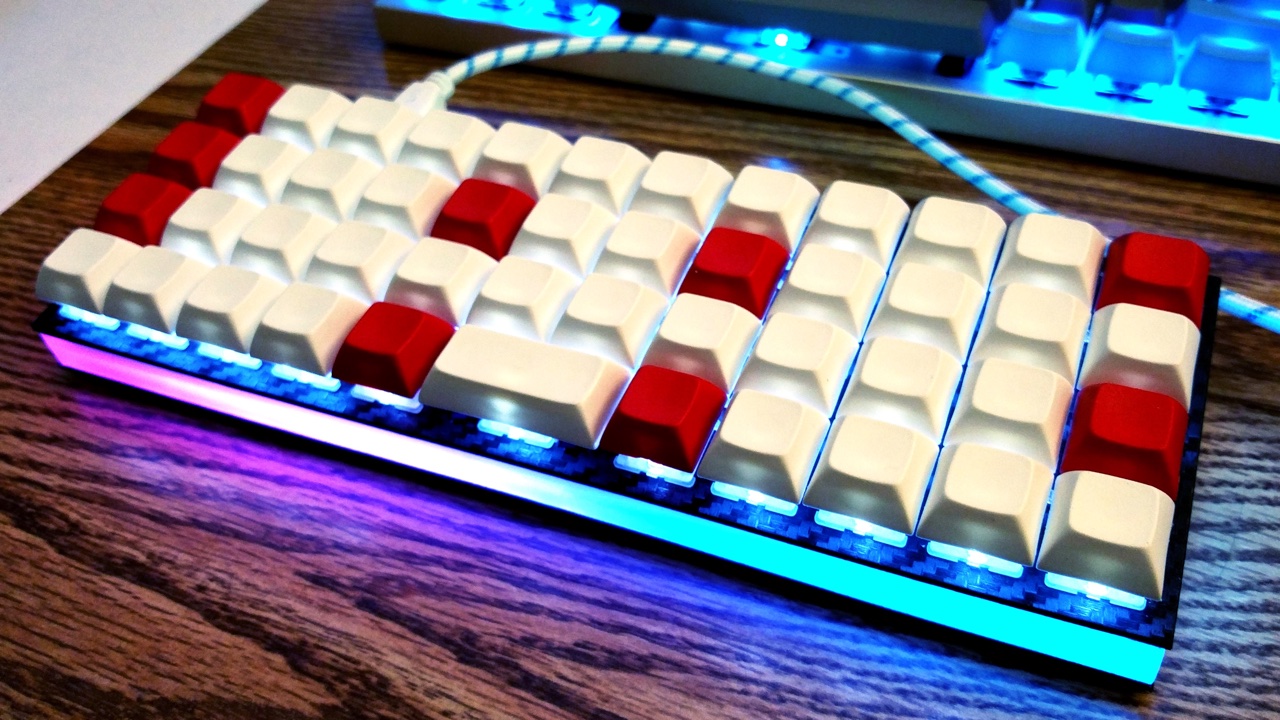
|
||||
|
||||
Here is a quick demo on Youtube (with NPKC KC60) (https://www.youtube.com/watch?v=VKrpPAHlisY).
|
||||
|
||||
For this mod, you need an unused pin wiring to DI of WS2812 strip. After wiring the VCC, GND, and DI, you can enable the underglow in your Makefile.
|
||||
|
||||
RGBLIGHT_ENABLE = yes
|
||||
|
||||
Please note that the underglow is not compatible with audio output. So you cannot enable both of them at the same time.
|
||||
|
||||
Please add the following options into your config.h, and set them up according your hardware configuration. These settings are for the F4 by default:
|
||||
|
||||
#define ws2812_PORTREG PORTF
|
||||
#define ws2812_DDRREG DDRF
|
||||
#define ws2812_pin PF4
|
||||
#define RGBLED_NUM 14 // Number of LEDs
|
||||
#define RGBLIGHT_HUE_STEP 10
|
||||
#define RGBLIGHT_SAT_STEP 17
|
||||
#define RGBLIGHT_VAL_STEP 17
|
||||
|
||||
You'll need to edit `PORTF`, `DDRF`, and `PF4` on the first three lines to the port/pin you have your LED(s) wired to, eg for B3 change things to:
|
||||
|
||||
#define ws2812_PORTREG PORTB
|
||||
#define ws2812_DDRREG DDRB
|
||||
#define ws2812_pin PB3
|
||||
|
||||
The firmware supports 5 different light effects, and the color (hue, saturation, brightness) can be customized in most effects. To control the underglow, you need to modify your keymap file to assign those functions to some keys/key combinations. For details, please check this keymap. `keyboard/planck/keymaps/yang/keymap.c`
|
||||
|
||||
### WS2812 Wiring
|
||||
|
||||
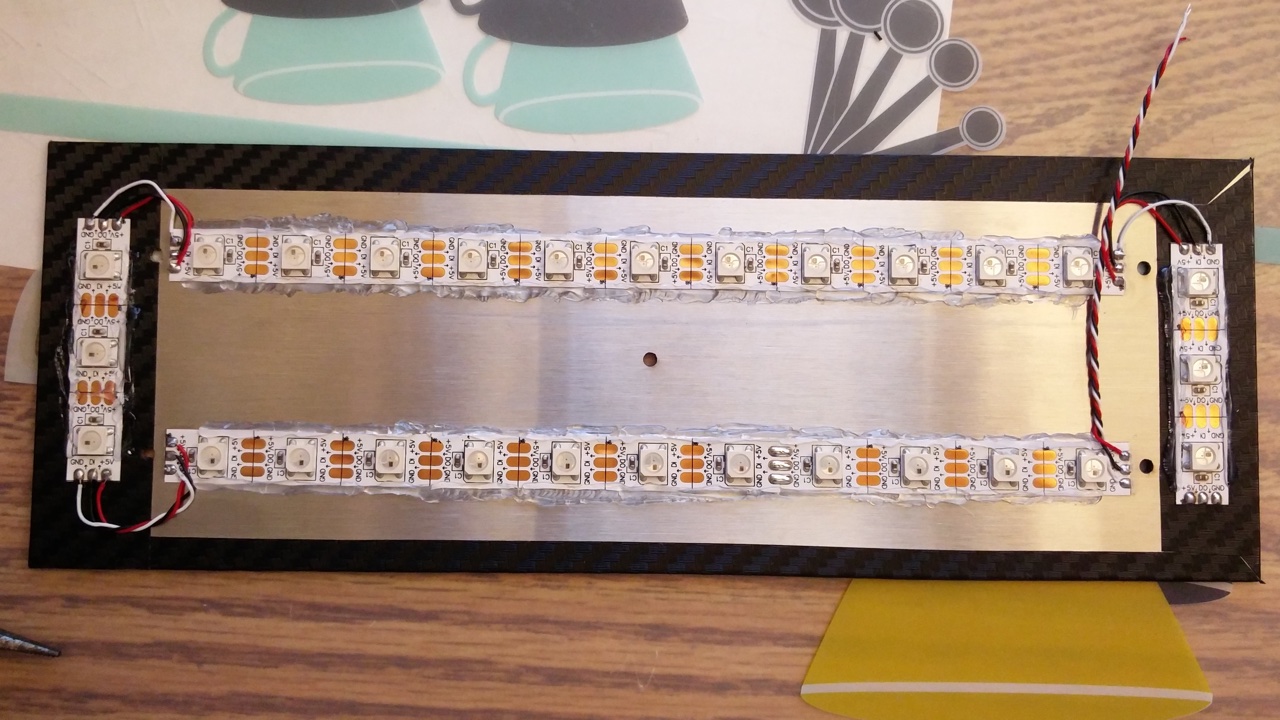
|
||||
|
||||
Please note the USB port can only supply a limited amount of power to the keyboard (500mA by standard, however, modern computer and most usb hubs can provide 700+mA.). According to the data of NeoPixel from Adafruit, 30 WS2812 LEDs require a 5V 1A power supply, LEDs used in this mod should not more than 20.
|
||||
|
||||
## Safety Considerations
|
||||
|
||||
You probably don't want to "brick" your keyboard, making it impossible
|
||||
to rewrite firmware onto it. Here are some of the parameters to show
|
||||
what things are (and likely aren't) too risky.
|
||||
|
||||
- If a keyboard map does not include RESET, then, to get into DFU
|
||||
mode, you will need to press the reset button on the PCB, which
|
||||
requires unscrewing some bits.
|
||||
- Messing with tmk_core / common files might make the keyboard
|
||||
inoperable
|
||||
- Too large a .hex file is trouble; `make dfu` will erase the block,
|
||||
test the size (oops, wrong order!), which errors out, failing to
|
||||
flash the keyboard
|
||||
- DFU tools do /not/ allow you to write into the bootloader (unless
|
||||
you throw in extra fruitsalad of options), so there is little risk
|
||||
there.
|
||||
- EEPROM has around a 100000 write cycle. You shouldn't rewrite the
|
||||
firmware repeatedly and continually; that'll burn the EEPROM
|
||||
eventually.
|
||||
|
||||
|
|
@ -1,26 +0,0 @@
|
|||
# Quick Start Directions
|
||||
|
||||
This project includes a Vagrantfile that will allow you to build a new firmware for your keyboard very easily without major changes to your primary operating system. This also ensures that when you clone the project and perform a build, you have the exact same environment as anyone else using the Vagrantfile to build. This makes it much easier for people to help you troubleshoot any issues you encounter.
|
||||
|
||||
## Requirements
|
||||
|
||||
Using the Vagrantfile in this repository requires you have [Vagrant](http://www.vagrantup.com/) as well as [VirtualBox](https://www.virtualbox.org/) (or [VMware Workstation](https://www.vmware.com/products/workstation) and [Vagrant VMware plugin](http://www.vagrantup.com/vmware) but the (paid) VMware plugin requires a licensed copy of VMware Workstation/Fusion).
|
||||
|
||||
*COMPATIBILITY NOTICE* Certain versions of Virtualbox 5 appear to have an incompatibility with the Virtualbox extensions installed in the boxes in this Vagrantfile. If you encounter any issues with the /vagrant mount not succeeding, please upgrade your version of Virtualbox to at least 5.0.12.
|
||||
|
||||
Other than having Vagrant and Virtualbox installed and possibly a restart of your computer afterwards, you can simple run a 'vagrant up' anywhere inside the folder where you checked out this project and it will start a Linux virtual machine that contains all the tools required to build this project. There is a post Vagrant startup hint that will get you off on the right foot, otherwise you can also reference the build documentation below.
|
||||
|
||||
Build Firmware and Program Controller
|
||||
-------------------------------------
|
||||
See [doc/build.md](tmk_core/doc/build.md), or the README in the particular keyboard/* folder.
|
||||
|
||||
Change your keymap
|
||||
------------------
|
||||
See [doc/keymap.md](tmk_core/doc/keymap.md).
|
||||
|
||||
## Flashing the firmware
|
||||
|
||||
The "easy" way to flash the firmware is using a tool from your host OS like the Teensy programming app. [ErgoDox EZ](keyboard/ergodox_ez/readme.md) gives a great example.
|
||||
|
||||
If you want to program via the command line you can uncomment the ['modifyvm'] lines in the Vagrantfile to enable the USB passthrough into Linux and then program using the command line tools like dfu-util/dfu-programmer or you can install the Teensy CLI version.
|
||||
|
||||
186
Vagrantfile
vendored
186
Vagrantfile
vendored
|
|
@ -1,88 +1,98 @@
|
|||
# -*- mode: ruby -*-
|
||||
# vi: set ft=ruby :
|
||||
|
||||
Vagrant.configure(2) do |config|
|
||||
# You can only have one config.vm.box uncommented at a time
|
||||
|
||||
# Comment this and uncomment another if you don't want to use the minimal Arch box
|
||||
config.vm.box = "dragon788/arch-ala-elasticdog"
|
||||
|
||||
# VMware/Virtualbox 64 bit
|
||||
# config.vm.box = "phusion/ubuntu-14.04-amd64"
|
||||
#
|
||||
# VMware/Virtualbox 64 bit
|
||||
#config.vm.box = "puphpet/centos65-x64"
|
||||
#
|
||||
# The opensuse boxes don't have dfu-util in their default repositories
|
||||
#
|
||||
# The virtualbox version has tools issues
|
||||
# VMware/Virtualbox 64 bit
|
||||
#config.vm.box = "bento/opensuse-13.2-x86_64"
|
||||
#
|
||||
# Virtualbox only
|
||||
#config.vm.box = "bento/opensuse-13.2-i386"
|
||||
# config.vm.box = ""
|
||||
# config.vm.box = ""
|
||||
|
||||
# This section allows you to customize the Virtualbox VM
|
||||
# settings, ie showing the GUI or upping the memory
|
||||
# or cores if desired
|
||||
config.vm.provider "virtualbox" do |vb|
|
||||
# Hide the VirtualBox GUI when booting the machine
|
||||
vb.gui = false
|
||||
# Uncomment the below lines if you want to program
|
||||
# your Teensy via the VM rather than your host OS
|
||||
#vb.customize ['modifyvm', :id, '--usb', 'on']
|
||||
#vb.customize ['usbfilter', 'add', '0',
|
||||
# '--target', :id,
|
||||
# '--name', 'teensy',
|
||||
# '--vendorid', '0x16c0',
|
||||
# '--productid','0x0478'
|
||||
# ]
|
||||
# Customize the amount of memory on the VM:
|
||||
vb.memory = "512"
|
||||
end
|
||||
|
||||
# This section allows you to customize the VMware VM
|
||||
# settings, ie showing the GUI or upping the memory
|
||||
# or cores if desired
|
||||
config.vm.provider "vmware_workstation" do |vmw|
|
||||
# Hide the VMware GUI when booting the machine
|
||||
vmw.gui = false
|
||||
|
||||
# Customize the amount of memory on the VM:
|
||||
vmw.memory = "512"
|
||||
end
|
||||
|
||||
config.vm.provider "vmware_fusion" do |vmf|
|
||||
# Hide the vmfare GUI when booting the machine
|
||||
vmf.gui = false
|
||||
|
||||
# Customize the amount of memory on the VM:
|
||||
vmf.memory = "512"
|
||||
end
|
||||
|
||||
# This script ensures the required packages for AVR programming are installed
|
||||
# It also ensures the system always gets the latest updates when powered on
|
||||
# If this causes issues you can run a 'vagrant destroy' and then
|
||||
# add a # before ,args: and run 'vagrant up' to get a working
|
||||
# non-updated box and then attempt to troubleshoot or open a Github issue
|
||||
|
||||
config.vm.provision "shell", run: "always", path: "avr_setup.sh", args: "-update"
|
||||
|
||||
config.vm.post_up_message = """
|
||||
Log into the VM using 'vagrant ssh' on OSX or from Git Bash (Win)
|
||||
or 'vagrant ssh-config' and Putty or Bitvise SSH or another SSH tool
|
||||
|
||||
Change directory (cd) to the keyboard you wish to program
|
||||
(Optionally) modify your layout,
|
||||
then run 'make clean'
|
||||
and then 'make' to compile the .eep and .hex files.
|
||||
|
||||
Or you can copy and paste the example line below.
|
||||
|
||||
cd /vagrant; cd keyboard; cd ergodox_ez; make clean; make
|
||||
|
||||
|
||||
"""
|
||||
end
|
||||
# -*- mode: ruby -*-
|
||||
# vi: set ft=ruby :
|
||||
|
||||
Vagrant.configure(2) do |config|
|
||||
# You can only have one config.vm.box uncommented at a time
|
||||
|
||||
# Comment this and uncomment another if you don't want to use the minimal Arch box
|
||||
#config.vm.box = "dragon788/arch-ala-elasticdog"
|
||||
|
||||
# VMware/Virtualbox 64 bit
|
||||
config.vm.box = "phusion/ubuntu-14.04-amd64"
|
||||
#
|
||||
# VMware/Virtualbox 64 bit
|
||||
#config.vm.box = "puphpet/centos65-x64"
|
||||
#
|
||||
# The opensuse boxes don't have dfu-util in their default repositories
|
||||
#
|
||||
# The virtualbox version has tools issues
|
||||
# VMware/Virtualbox 64 bit
|
||||
#config.vm.box = "bento/opensuse-13.2-x86_64"
|
||||
#
|
||||
# Virtualbox only
|
||||
#config.vm.box = "bento/opensuse-13.2-i386"
|
||||
# config.vm.box = ""
|
||||
# config.vm.box = ""
|
||||
|
||||
# This section allows you to customize the Virtualbox VM
|
||||
# settings, ie showing the GUI or upping the memory
|
||||
# or cores if desired
|
||||
config.vm.provider "virtualbox" do |vb|
|
||||
# Hide the VirtualBox GUI when booting the machine
|
||||
vb.gui = false
|
||||
# Uncomment the below lines if you want to program
|
||||
# your Teensy via the VM rather than your host OS
|
||||
#vb.customize ['modifyvm', :id, '--usb', 'on']
|
||||
#vb.customize ['usbfilter', 'add', '0',
|
||||
# '--target', :id,
|
||||
# '--name', 'teensy',
|
||||
# '--vendorid', '0x16c0',
|
||||
# '--productid','0x0478'
|
||||
# ]
|
||||
# Customize the amount of memory on the VM:
|
||||
vb.memory = "512"
|
||||
end
|
||||
|
||||
# This section allows you to customize the VMware VM
|
||||
# settings, ie showing the GUI or upping the memory
|
||||
# or cores if desired
|
||||
config.vm.provider "vmware_workstation" do |vmw|
|
||||
# Hide the VMware GUI when booting the machine
|
||||
vmw.gui = false
|
||||
|
||||
# Customize the amount of memory on the VM:
|
||||
vmw.memory = "512"
|
||||
end
|
||||
|
||||
config.vm.provider "vmware_fusion" do |vmf|
|
||||
# Hide the vmfare GUI when booting the machine
|
||||
vmf.gui = false
|
||||
|
||||
# Customize the amount of memory on the VM:
|
||||
vmf.memory = "512"
|
||||
end
|
||||
|
||||
# Docker provider pulls from hub.docker.com respecting docker.image if
|
||||
# config.vm.box is nil. Note that this bind-mounts from the current dir to
|
||||
# /vagrant in the guest, so unless your UID is 1000 to match vagrant in the
|
||||
# image, you'll need to: chmod -R a+rw .
|
||||
config.vm.provider "docker" do |docker, override|
|
||||
override.vm.box = nil
|
||||
docker.image = "jesselang/debian-vagrant:jessie"
|
||||
docker.has_ssh = true
|
||||
end
|
||||
|
||||
# This script ensures the required packages for AVR programming are installed
|
||||
# It also ensures the system always gets the latest updates when powered on
|
||||
# If this causes issues you can run a 'vagrant destroy' and then
|
||||
# add a # before ,args: and run 'vagrant up' to get a working
|
||||
# non-updated box and then attempt to troubleshoot or open a Github issue
|
||||
|
||||
config.vm.provision "shell", run: "always", path: "./util/install_dependencies.sh", args: "-update"
|
||||
|
||||
config.vm.post_up_message = <<-EOT
|
||||
Log into the VM using 'vagrant ssh' on OSX or from Git Bash (Win)
|
||||
or 'vagrant ssh-config' and Putty or Bitvise SSH or another SSH tool
|
||||
|
||||
Change directory (cd) to the keyboard you wish to program
|
||||
(Optionally) modify your layout,
|
||||
then run 'make clean'
|
||||
and then 'make' to compile the .eep and .hex files.
|
||||
|
||||
Or you can copy and paste the example line below.
|
||||
|
||||
cd /vagrant; cd keyboards; cd ergodox; make clean; make
|
||||
|
||||
|
||||
EOT
|
||||
end
|
||||
|
|
|
|||
72
avr_setup.sh
72
avr_setup.sh
|
|
@ -1,72 +0,0 @@
|
|||
#!/usr/bin/env bash
|
||||
# This script will attempt to setup the Linux dependencies for compiling QMK/TMK
|
||||
|
||||
# This could probably go much lower, but since we are including an Arch vagrant,
|
||||
# making it the first match makes sense
|
||||
|
||||
if [[ -n "$(type -P pacman )" ]]; then
|
||||
# Arch linux and derivatives like Apricity
|
||||
# Future improvements:
|
||||
# Allow user to speed up package installs using powerpill/wget tweaks
|
||||
# Always run the pacman mirror update script if possible when vagrant comes up
|
||||
# This will ensure that users never get stalled on a horribly slow mirror
|
||||
pacman -Syyu --needed --noconfirm
|
||||
pacman -S --needed --noconfirm \
|
||||
base-devel \
|
||||
avr-gcc \
|
||||
avr-binutils \
|
||||
avr-libc \
|
||||
dfu-util
|
||||
|
||||
elif [[ -n "$(type -P apt-get)" ]]; then
|
||||
# Debian and derivatives
|
||||
# This block performs completely non-interactive updates {{
|
||||
export DEBIAN_FRONTEND=noninteractive
|
||||
export DEBCONF_NONINTERACTIVE_SEEN=true
|
||||
echo "grub-pc hold" | dpkg --set-selections
|
||||
apt-get -y update
|
||||
apt-get -y --allow-unauthenticated upgrade \
|
||||
-o Dpkg::Options::="--force-confdef" \
|
||||
-o Dpkg::Options::="--force-confold"
|
||||
# }}
|
||||
apt-get install -y \
|
||||
build-essential \
|
||||
gcc \
|
||||
unzip \
|
||||
wget \
|
||||
zip \
|
||||
gcc-avr \
|
||||
binutils-avr \
|
||||
avr-libc \
|
||||
dfu-util
|
||||
|
||||
elif [[ -n "$(type -P yum)" ]]; then
|
||||
# Fedora, CentOS or RHEL and derivatives
|
||||
yum -y makecache && yum -y update
|
||||
yum -y install \
|
||||
gcc \
|
||||
glibc-headers \
|
||||
kernel-devel \
|
||||
kernel-headers \
|
||||
make \
|
||||
perl \
|
||||
git \
|
||||
wget \
|
||||
avr-binutils \
|
||||
avr-gcc \
|
||||
avr-libc \
|
||||
dfu-util
|
||||
|
||||
elif [[ -n "$(type -P zypper)" ]]; then
|
||||
# openSUSE
|
||||
zypper --non-interactive refresh && zypper --non-interactive update
|
||||
zypper --non-interactive install \
|
||||
git \
|
||||
make \
|
||||
gcc \
|
||||
kernel-devel \
|
||||
patch \
|
||||
wget \
|
||||
dfu-programmer
|
||||
|
||||
fi
|
||||
231
build_keyboard.mk
Normal file
231
build_keyboard.mk
Normal file
|
|
@ -0,0 +1,231 @@
|
|||
ifndef VERBOSE
|
||||
.SILENT:
|
||||
endif
|
||||
|
||||
.DEFAULT_GOAL := all
|
||||
|
||||
include common.mk
|
||||
|
||||
ifneq ($(SUBPROJECT),)
|
||||
TARGET ?= $(KEYBOARD)_$(SUBPROJECT)_$(KEYMAP)
|
||||
KEYBOARD_OUTPUT := $(BUILD_DIR)/obj_$(KEYBOARD)_$(SUBPROJECT)
|
||||
else
|
||||
TARGET ?= $(KEYBOARD)_$(KEYMAP)
|
||||
KEYBOARD_OUTPUT := $(BUILD_DIR)/obj_$(KEYBOARD)
|
||||
endif
|
||||
|
||||
# Force expansion
|
||||
TARGET := $(TARGET)
|
||||
|
||||
|
||||
MASTER ?= left
|
||||
ifdef master
|
||||
MASTER = $(master)
|
||||
endif
|
||||
|
||||
ifeq ($(MASTER),right)
|
||||
OPT_DEFS += -DMASTER_IS_ON_RIGHT
|
||||
else
|
||||
ifneq ($(MASTER),left)
|
||||
$(error MASTER does not have a valid value(left/right))
|
||||
endif
|
||||
endif
|
||||
|
||||
|
||||
|
||||
KEYBOARD_PATH := keyboards/$(KEYBOARD)
|
||||
KEYBOARD_C := $(KEYBOARD_PATH)/$(KEYBOARD).c
|
||||
|
||||
ifneq ("$(wildcard $(KEYBOARD_C))","")
|
||||
include $(KEYBOARD_PATH)/rules.mk
|
||||
else
|
||||
$(error "$(KEYBOARD_C)" does not exist)
|
||||
endif
|
||||
|
||||
|
||||
ifneq ($(SUBPROJECT),)
|
||||
SUBPROJECT_PATH := keyboards/$(KEYBOARD)/$(SUBPROJECT)
|
||||
SUBPROJECT_C := $(SUBPROJECT_PATH)/$(SUBPROJECT).c
|
||||
ifneq ("$(wildcard $(SUBPROJECT_C))","")
|
||||
OPT_DEFS += -DSUBPROJECT_$(SUBPROJECT)
|
||||
include $(SUBPROJECT_PATH)/rules.mk
|
||||
else
|
||||
$(error "$(SUBPROJECT_PATH)/$(SUBPROJECT).c" does not exist)
|
||||
endif
|
||||
endif
|
||||
|
||||
# We can assume a ChibiOS target When MCU_FAMILY is defined, since it's not used for LUFA
|
||||
ifdef MCU_FAMILY
|
||||
PLATFORM=CHIBIOS
|
||||
else
|
||||
PLATFORM=AVR
|
||||
endif
|
||||
|
||||
ifeq ($(PLATFORM),CHIBIOS)
|
||||
include $(TMK_PATH)/protocol/chibios.mk
|
||||
include $(TMK_PATH)/chibios.mk
|
||||
OPT_OS = chibios
|
||||
ifneq ("$(wildcard $(SUBPROJECT_PATH)/bootloader_defs.h)","")
|
||||
OPT_DEFS += -include $(SUBPROJECT_PATH)/bootloader_defs.h
|
||||
else ifneq ("$(wildcard $(SUBPROJECT_PATH)/boards/$(BOARD)/bootloader_defs.h)","")
|
||||
OPT_DEFS += -include $(SUBPROJECT_PATH)/boards/$(BOARD)/bootloader_defs.h
|
||||
else ifneq ("$(wildcard $(KEYBOARD_PATH)/bootloader_defs.h)","")
|
||||
OPT_DEFS += -include $(KEYBOARD_PATH)/bootloader_defs.h
|
||||
else ifneq ("$(wildcard $(KEYBOARD_PATH)/boards/$(BOARD)/bootloader_defs.h)","")
|
||||
OPT_DEFS += -include $(KEYBOARD_PATH)/boards/$(BOARD)/bootloader_defs.h
|
||||
endif
|
||||
endif
|
||||
|
||||
CONFIG_H = $(KEYBOARD_PATH)/config.h
|
||||
ifneq ($(SUBPROJECT),)
|
||||
ifneq ("$(wildcard $(SUBPROJECT_C))","")
|
||||
CONFIG_H = $(SUBPROJECT_PATH)/config.h
|
||||
endif
|
||||
endif
|
||||
|
||||
# Save the defines and includes here, so we don't include any keymap specific ones
|
||||
PROJECT_DEFS := $(OPT_DEFS)
|
||||
PROJECT_INC := $(VPATH) $(EXTRAINCDIRS) $(SUBPROJECT_PATH) $(KEYBOARD_PATH)
|
||||
PROJECT_CONFIG := $(CONFIG_H)
|
||||
|
||||
MAIN_KEYMAP_PATH := $(KEYBOARD_PATH)/keymaps/$(KEYMAP)
|
||||
MAIN_KEYMAP_C := $(MAIN_KEYMAP_PATH)/keymap.c
|
||||
SUBPROJ_KEYMAP_PATH := $(SUBPROJECT_PATH)/keymaps/$(KEYMAP)
|
||||
SUBPROJ_KEYMAP_C := $(SUBPROJ_KEYMAP_PATH)/keymap.c
|
||||
ifneq ("$(wildcard $(SUBPROJ_KEYMAP_C))","")
|
||||
-include $(SUBPROJ_KEYMAP_PATH)/Makefile
|
||||
KEYMAP_C := $(SUBPROJ_KEYMAP_C)
|
||||
KEYMAP_PATH := $(SUBPROJ_KEYMAP_PATH)
|
||||
else ifneq ("$(wildcard $(MAIN_KEYMAP_C))","")
|
||||
-include $(MAIN_KEYMAP_PATH)/Makefile
|
||||
KEYMAP_C := $(MAIN_KEYMAP_C)
|
||||
KEYMAP_PATH := $(MAIN_KEYMAP_PATH)
|
||||
else
|
||||
$(error "$(MAIN_KEYMAP_C)/keymap.c" does not exist)
|
||||
endif
|
||||
|
||||
|
||||
# Object files directory
|
||||
# To put object files in current directory, use a dot (.), do NOT make
|
||||
# this an empty or blank macro!
|
||||
KEYMAP_OUTPUT := $(BUILD_DIR)/obj_$(TARGET)
|
||||
|
||||
|
||||
ifneq ("$(wildcard $(KEYMAP_PATH)/config.h)","")
|
||||
CONFIG_H = $(KEYMAP_PATH)/config.h
|
||||
endif
|
||||
|
||||
# # project specific files
|
||||
SRC += $(KEYBOARD_C) \
|
||||
$(KEYMAP_C) \
|
||||
$(QUANTUM_DIR)/quantum.c \
|
||||
$(QUANTUM_DIR)/keymap_common.c \
|
||||
$(QUANTUM_DIR)/keycode_config.c \
|
||||
$(QUANTUM_DIR)/process_keycode/process_leader.c
|
||||
|
||||
ifneq ($(SUBPROJECT),)
|
||||
SRC += $(SUBPROJECT_C)
|
||||
endif
|
||||
|
||||
ifndef CUSTOM_MATRIX
|
||||
SRC += $(QUANTUM_DIR)/matrix.c
|
||||
endif
|
||||
|
||||
ifeq ($(strip $(MIDI_ENABLE)), yes)
|
||||
OPT_DEFS += -DMIDI_ENABLE
|
||||
SRC += $(QUANTUM_DIR)/process_keycode/process_midi.c
|
||||
endif
|
||||
|
||||
ifeq ($(strip $(VIRTSER_ENABLE)), yes)
|
||||
OPT_DEFS += -DVIRTSER_ENABLE
|
||||
endif
|
||||
|
||||
ifeq ($(strip $(AUDIO_ENABLE)), yes)
|
||||
OPT_DEFS += -DAUDIO_ENABLE
|
||||
SRC += $(QUANTUM_DIR)/process_keycode/process_music.c
|
||||
SRC += $(QUANTUM_DIR)/audio/audio.c
|
||||
SRC += $(QUANTUM_DIR)/audio/voices.c
|
||||
SRC += $(QUANTUM_DIR)/audio/luts.c
|
||||
endif
|
||||
|
||||
ifeq ($(strip $(UCIS_ENABLE)), yes)
|
||||
OPT_DEFS += -DUCIS_ENABLE
|
||||
UNICODE_ENABLE = yes
|
||||
endif
|
||||
|
||||
ifeq ($(strip $(UNICODEMAP_ENABLE)), yes)
|
||||
OPT_DEFS += -DUNICODEMAP_ENABLE
|
||||
UNICODE_ENABLE = yes
|
||||
endif
|
||||
|
||||
ifeq ($(strip $(UNICODE_ENABLE)), yes)
|
||||
OPT_DEFS += -DUNICODE_ENABLE
|
||||
SRC += $(QUANTUM_DIR)/process_keycode/process_unicode.c
|
||||
endif
|
||||
|
||||
ifeq ($(strip $(RGBLIGHT_ENABLE)), yes)
|
||||
OPT_DEFS += -DRGBLIGHT_ENABLE
|
||||
SRC += $(QUANTUM_DIR)/light_ws2812.c
|
||||
SRC += $(QUANTUM_DIR)/rgblight.c
|
||||
endif
|
||||
|
||||
ifeq ($(strip $(TAP_DANCE_ENABLE)), yes)
|
||||
OPT_DEFS += -DTAP_DANCE_ENABLE
|
||||
SRC += $(QUANTUM_DIR)/process_keycode/process_tap_dance.c
|
||||
endif
|
||||
|
||||
ifeq ($(strip $(SERIAL_LINK_ENABLE)), yes)
|
||||
SRC += $(patsubst $(QUANTUM_PATH)/%,%,$(SERIAL_SRC))
|
||||
OPT_DEFS += $(SERIAL_DEFS)
|
||||
VAPTH += $(SERIAL_PATH)
|
||||
endif
|
||||
|
||||
# Optimize size but this may cause error "relocation truncated to fit"
|
||||
#EXTRALDFLAGS = -Wl,--relax
|
||||
|
||||
# Search Path
|
||||
VPATH += $(KEYMAP_PATH)
|
||||
ifneq ($(SUBPROJECT),)
|
||||
VPATH += $(SUBPROJECT_PATH)
|
||||
endif
|
||||
VPATH += $(KEYBOARD_PATH)
|
||||
VPATH += $(COMMON_VPATH)
|
||||
|
||||
|
||||
include $(TMK_PATH)/common.mk
|
||||
SRC += $(TMK_COMMON_SRC)
|
||||
OPT_DEFS += $(TMK_COMMON_DEFS)
|
||||
EXTRALDFLAGS += $(TMK_COMMON_LDFLAGS)
|
||||
|
||||
ifeq ($(PLATFORM),AVR)
|
||||
include $(TMK_PATH)/protocol/lufa.mk
|
||||
include $(TMK_PATH)/avr.mk
|
||||
endif
|
||||
|
||||
ifeq ($(strip $(VISUALIZER_ENABLE)), yes)
|
||||
VISUALIZER_DIR = $(QUANTUM_DIR)/visualizer
|
||||
VISUALIZER_PATH = $(QUANTUM_PATH)/visualizer
|
||||
include $(VISUALIZER_PATH)/visualizer.mk
|
||||
endif
|
||||
|
||||
OUTPUTS := $(KEYMAP_OUTPUT) $(KEYBOARD_OUTPUT)
|
||||
$(KEYMAP_OUTPUT)_SRC := $(SRC)
|
||||
$(KEYMAP_OUTPUT)_DEFS := $(OPT_DEFS) -DQMK_KEYBOARD=\"$(KEYBOARD)\" -DQMK_KEYMAP=\"$(KEYMAP)\"
|
||||
$(KEYMAP_OUTPUT)_INC := $(VPATH) $(EXTRAINCDIRS)
|
||||
$(KEYMAP_OUTPUT)_CONFIG := $(CONFIG_H)
|
||||
$(KEYBOARD_OUTPUT)_SRC := $(CHIBISRC)
|
||||
$(KEYBOARD_OUTPUT)_DEFS := $(PROJECT_DEFS)
|
||||
$(KEYBOARD_OUTPUT)_INC := $(PROJECT_INC)
|
||||
$(KEYBOARD_OUTPUT)_CONFIG := $(PROJECT_CONFIG)
|
||||
|
||||
# Default target.
|
||||
all: build sizeafter
|
||||
|
||||
# Change the build target to build a HEX file or a library.
|
||||
build: elf hex
|
||||
#build: elf hex eep lss sym
|
||||
#build: lib
|
||||
|
||||
|
||||
include $(TMK_PATH)/rules.mk
|
||||
|
||||
57
build_test.mk
Normal file
57
build_test.mk
Normal file
|
|
@ -0,0 +1,57 @@
|
|||
ifndef VERBOSE
|
||||
.SILENT:
|
||||
endif
|
||||
|
||||
.DEFAULT_GOAL := all
|
||||
|
||||
include common.mk
|
||||
|
||||
TARGET=test/$(TEST)
|
||||
|
||||
GTEST_OUTPUT = $(BUILD_DIR)/gtest
|
||||
|
||||
TEST_OBJ = $(BUILD_DIR)/test_obj
|
||||
|
||||
OUTPUTS := $(TEST_OBJ)/$(TEST) $(GTEST_OUTPUT)
|
||||
|
||||
GTEST_INC := \
|
||||
$(LIB_PATH)/googletest/googletest/include\
|
||||
$(LIB_PATH)/googletest/googlemock/include\
|
||||
|
||||
GTEST_INTERNAL_INC :=\
|
||||
$(LIB_PATH)/googletest/googletest\
|
||||
$(LIB_PATH)/googletest/googlemock
|
||||
|
||||
$(GTEST_OUTPUT)_SRC :=\
|
||||
googletest/src/gtest-all.cc\
|
||||
googletest/src/gtest_main.cc\
|
||||
googlemock/src/gmock-all.cc
|
||||
|
||||
$(GTEST_OUTPUT)_DEFS :=
|
||||
$(GTEST_OUTPUT)_INC := $(GTEST_INC) $(GTEST_INTERNAL_INC)
|
||||
|
||||
LDFLAGS += -lstdc++ -lpthread -shared-libgcc
|
||||
CREATE_MAP := no
|
||||
|
||||
VPATH +=\
|
||||
$(LIB_PATH)/googletest\
|
||||
$(LIB_PATH)/googlemock
|
||||
|
||||
all: elf
|
||||
|
||||
VPATH += $(COMMON_VPATH)
|
||||
|
||||
include $(TMK_PATH)/common.mk
|
||||
include $(QUANTUM_PATH)/serial_link/tests/rules.mk
|
||||
|
||||
$(TEST_OBJ)/$(TEST)_SRC := $($(TEST)_SRC)
|
||||
$(TEST_OBJ)/$(TEST)_INC := $($(TEST)_INC) $(VPATH) $(GTEST_INC)
|
||||
$(TEST_OBJ)/$(TEST)_DEFS := $($(TEST)_DEFS)
|
||||
|
||||
include $(TMK_PATH)/native.mk
|
||||
include $(TMK_PATH)/rules.mk
|
||||
|
||||
|
||||
$(shell mkdir -p $(BUILD_DIR)/test 2>/dev/null)
|
||||
$(shell mkdir -p $(TEST_OBJ) 2>/dev/null)
|
||||
|
||||
26
common.mk
Normal file
26
common.mk
Normal file
|
|
@ -0,0 +1,26 @@
|
|||
include message.mk
|
||||
|
||||
# Directory common source files exist
|
||||
TOP_DIR = .
|
||||
TMK_DIR = tmk_core
|
||||
TMK_PATH = $(TOP_DIR)/$(TMK_DIR)
|
||||
LIB_PATH = $(TOP_DIR)/lib
|
||||
|
||||
QUANTUM_DIR = quantum
|
||||
QUANTUM_PATH = $(TOP_DIR)/$(QUANTUM_DIR)
|
||||
|
||||
BUILD_DIR := $(TOP_DIR)/.build
|
||||
|
||||
SERIAL_DIR := $(QUANTUM_DIR)/serial_link
|
||||
SERIAL_PATH := $(QUANTUM_PATH)/serial_link
|
||||
SERIAL_SRC := $(wildcard $(SERIAL_PATH)/protocol/*.c)
|
||||
SERIAL_SRC += $(wildcard $(SERIAL_PATH)/system/*.c)
|
||||
SERIAL_DEFS += -DSERIAL_LINK_ENABLE
|
||||
|
||||
COMMON_VPATH := $(TOP_DIR)
|
||||
COMMON_VPATH += $(TMK_PATH)
|
||||
COMMON_VPATH += $(QUANTUM_PATH)
|
||||
COMMON_VPATH += $(QUANTUM_PATH)/keymap_extras
|
||||
COMMON_VPATH += $(QUANTUM_PATH)/audio
|
||||
COMMON_VPATH += $(QUANTUM_PATH)/process_keycode
|
||||
COMMON_VPATH += $(SERIAL_PATH)
|
||||
|
|
@ -1,141 +0,0 @@
|
|||
#----------------------------------------------------------------------------
|
||||
# On command line:
|
||||
#
|
||||
# make all = Make software.
|
||||
#
|
||||
# make clean = Clean out built project files.
|
||||
#
|
||||
# make coff = Convert ELF to AVR COFF.
|
||||
#
|
||||
# make extcoff = Convert ELF to AVR Extended COFF.
|
||||
#
|
||||
# make program = Download the hex file to the device.
|
||||
# Please customize your programmer settings(PROGRAM_CMD)
|
||||
#
|
||||
# make teensy = Download the hex file to the device, using teensy_loader_cli.
|
||||
# (must have teensy_loader_cli installed).
|
||||
#
|
||||
# make dfu = Download the hex file to the device, using dfu-programmer (must
|
||||
# have dfu-programmer installed).
|
||||
#
|
||||
# make flip = Download the hex file to the device, using Atmel FLIP (must
|
||||
# have Atmel FLIP installed).
|
||||
#
|
||||
# make dfu-ee = Download the eeprom file to the device, using dfu-programmer
|
||||
# (must have dfu-programmer installed).
|
||||
#
|
||||
# make flip-ee = Download the eeprom file to the device, using Atmel FLIP
|
||||
# (must have Atmel FLIP installed).
|
||||
#
|
||||
# make debug = Start either simulavr or avarice as specified for debugging,
|
||||
# with avr-gdb or avr-insight as the front end for debugging.
|
||||
#
|
||||
# make filename.s = Just compile filename.c into the assembler code only.
|
||||
#
|
||||
# make filename.i = Create a preprocessed source file for use in submitting
|
||||
# bug reports to the GCC project.
|
||||
#
|
||||
# To rebuild project do "make clean" then "make all".
|
||||
#----------------------------------------------------------------------------
|
||||
|
||||
# Target file name (without extension).
|
||||
TARGET = adb_usb_lufa
|
||||
|
||||
# Directory common source filess exist
|
||||
TMK_DIR = ../../tmk_core
|
||||
|
||||
# Directory keyboard dependent files exist
|
||||
TARGET_DIR = .
|
||||
|
||||
# project specific files
|
||||
SRC = keymap_common.c \
|
||||
matrix.c \
|
||||
led.c \
|
||||
adb.c
|
||||
|
||||
ifdef KEYMAP
|
||||
SRC := keymap_$(KEYMAP).c $(SRC)
|
||||
else
|
||||
SRC := keymap_ansi.c $(SRC)
|
||||
endif
|
||||
|
||||
CONFIG_H = config.h
|
||||
|
||||
|
||||
# MCU name
|
||||
#MCU = at90usb1287
|
||||
MCU = atmega32u4
|
||||
|
||||
# Processor frequency.
|
||||
# This will define a symbol, F_CPU, in all source code files equal to the
|
||||
# processor frequency in Hz. You can then use this symbol in your source code to
|
||||
# calculate timings. Do NOT tack on a 'UL' at the end, this will be done
|
||||
# automatically to create a 32-bit value in your source code.
|
||||
#
|
||||
# This will be an integer division of F_USB below, as it is sourced by
|
||||
# F_USB after it has run through any CPU prescalers. Note that this value
|
||||
# does not *change* the processor frequency - it should merely be updated to
|
||||
# reflect the processor speed set externally so that the code can use accurate
|
||||
# software delays.
|
||||
F_CPU = 16000000
|
||||
|
||||
|
||||
#
|
||||
# LUFA specific
|
||||
#
|
||||
# Target architecture (see library "Board Types" documentation).
|
||||
ARCH = AVR8
|
||||
|
||||
# Input clock frequency.
|
||||
# This will define a symbol, F_USB, in all source code files equal to the
|
||||
# input clock frequency (before any prescaling is performed) in Hz. This value may
|
||||
# differ from F_CPU if prescaling is used on the latter, and is required as the
|
||||
# raw input clock is fed directly to the PLL sections of the AVR for high speed
|
||||
# clock generation for the USB and other AVR subsections. Do NOT tack on a 'UL'
|
||||
# at the end, this will be done automatically to create a 32-bit value in your
|
||||
# source code.
|
||||
#
|
||||
# If no clock division is performed on the input clock inside the AVR (via the
|
||||
# CPU clock adjust registers or the clock division fuses), this will be equal to F_CPU.
|
||||
F_USB = $(F_CPU)
|
||||
|
||||
# Interrupt driven control endpoint task(+60)
|
||||
OPT_DEFS += -DINTERRUPT_CONTROL_ENDPOINT
|
||||
|
||||
|
||||
# Boot Section Size in *bytes*
|
||||
# Teensy halfKay 512
|
||||
# Teensy++ halfKay 1024
|
||||
# Atmel DFU loader 4096
|
||||
# LUFA bootloader 4096
|
||||
# USBaspLoader 2048
|
||||
OPT_DEFS += -DBOOTLOADER_SIZE=4096
|
||||
|
||||
|
||||
# Build Options
|
||||
# comment out to disable the options.
|
||||
#
|
||||
#BOOTMAGIC_ENABLE = yes # Virtual DIP switch configuration(+1000)
|
||||
MOUSEKEY_ENABLE = yes # Mouse keys(+4700)
|
||||
EXTRAKEY_ENABLE = yes # Audio control and System control(+450)
|
||||
CONSOLE_ENABLE = yes # Console for debug(+400)
|
||||
COMMAND_ENABLE = yes # Commands for debug and configuration
|
||||
#SLEEP_LED_ENABLE = yes # Breathing sleep LED during USB suspend
|
||||
#NKRO_ENABLE = yes # USB Nkey Rollover
|
||||
ADB_MOUSE_ENABLE = yes
|
||||
|
||||
# ADB Mice need acceleration for todays much bigger screens.
|
||||
OPT_DEFS += -DADB_MOUSE_MAXACC=8
|
||||
|
||||
|
||||
# Optimize size but this may cause error "relocation truncated to fit"
|
||||
#EXTRALDFLAGS = -Wl,--relax
|
||||
|
||||
# Search Path
|
||||
VPATH += $(TARGET_DIR)
|
||||
VPATH += $(TMK_DIR)
|
||||
|
||||
include $(TMK_DIR)/protocol/lufa.mk
|
||||
include $(TMK_DIR)/protocol.mk
|
||||
include $(TMK_DIR)/common.mk
|
||||
include $(TMK_DIR)/rules.mk
|
||||
|
|
@ -1,73 +0,0 @@
|
|||
# Target file name (without extension).
|
||||
TARGET = adb_usb_pjrc
|
||||
|
||||
# Directory common source filess exist
|
||||
TMK_DIR = ../../tmk_core
|
||||
|
||||
# Directory keyboard dependent files exist
|
||||
TARGET_DIR = .
|
||||
|
||||
# keyboard dependent files
|
||||
SRC = keymap_common.c \
|
||||
matrix.c \
|
||||
led.c \
|
||||
adb.c
|
||||
|
||||
ifdef KEYMAP
|
||||
SRC := keymap_$(KEYMAP).c $(SRC)
|
||||
else
|
||||
SRC := keymap_ansi.c $(SRC)
|
||||
endif
|
||||
|
||||
CONFIG_H = config.h
|
||||
|
||||
|
||||
# MCU name, you MUST set this to match the board you are using
|
||||
# type "make clean" after changing this, so all files will be rebuilt
|
||||
#MCU = at90usb162 # Teensy 1.0
|
||||
MCU = atmega32u4 # Teensy 2.0
|
||||
#MCU = at90usb646 # Teensy++ 1.0
|
||||
#MCU = at90usb1286 # Teensy++ 2.0
|
||||
|
||||
|
||||
# Processor frequency.
|
||||
# Normally the first thing your program should do is set the clock prescaler,
|
||||
# so your program will run at the correct speed. You should also set this
|
||||
# variable to same clock speed. The _delay_ms() macro uses this, and many
|
||||
# examples use this variable to calculate timings. Do not add a "UL" here.
|
||||
F_CPU = 16000000
|
||||
|
||||
|
||||
# Boot Section Size in *bytes*
|
||||
# Teensy halfKay 512
|
||||
# Teensy++ halfKay 1024
|
||||
# Atmel DFU loader 4096
|
||||
# LUFA bootloader 4096
|
||||
# USBaspLoader 2048
|
||||
OPT_DEFS += -DBOOTLOADER_SIZE=4096
|
||||
|
||||
|
||||
# Build Options
|
||||
# comment out to disable the options.
|
||||
#
|
||||
BOOTMAGIC_ENABLE = yes # Virtual DIP switch configuration(+1000)
|
||||
MOUSEKEY_ENABLE = yes # Mouse keys(+5000)
|
||||
EXTRAKEY_ENABLE = yes # Audio control and System control(+600)
|
||||
CONSOLE_ENABLE = yes # Console for debug
|
||||
COMMAND_ENABLE = yes # Commands for debug and configuration
|
||||
#SLEEP_LED_ENABLE = yes # Breathing sleep LED during USB suspend
|
||||
#NKRO_ENABLE = yes # USB Nkey Rollover(+500)
|
||||
ADB_MOUSE_ENABLE = yes
|
||||
|
||||
# ADB Mice need acceleration for todays much bigger screens.
|
||||
OPT_DEFS += -DADB_MOUSE_MAXACC=8
|
||||
|
||||
|
||||
# Search Path
|
||||
VPATH += $(TARGET_DIR)
|
||||
VPATH += $(TMK_DIR)
|
||||
|
||||
include $(TMK_DIR)/protocol/pjrc.mk
|
||||
include $(TMK_DIR)/protocol.mk
|
||||
include $(TMK_DIR)/common.mk
|
||||
include $(TMK_DIR)/rules.mk
|
||||
|
|
@ -1,103 +0,0 @@
|
|||
ADB to USB keyboard converter
|
||||
=============================
|
||||
This firmware converts ADB keyboard protocol to USB.
|
||||
You can use PJRC Teensy for this converter, though, other USB AVR(ATMega32U4, AT90USB64/128 or etc) should work.
|
||||
But binary size is about 10KB or more it doesn't fit into 8K flash like ATMega8U2.
|
||||
|
||||
Discuss: http://geekhack.org/showwiki.php?title=Island:14290
|
||||
|
||||
|
||||
|
||||
README FIRST
|
||||
------------
|
||||
https://github.com/tmk/tmk_keyboard
|
||||
https://github.com/tmk/tmk_keyboard/tree/master/converter/adb_usb
|
||||
|
||||
Also check these when you are in trouble.
|
||||
|
||||
https://github.com/tmk/tmk_keyboard/wiki
|
||||
https://github.com/tmk/tmk_keyboard/labels/NOTE
|
||||
|
||||
|
||||
Wiring
|
||||
------
|
||||
Connect ADB pins to controller just by 3 lines(Vcc, GND, Data). By default Data line uses port PD0.
|
||||
|
||||
ADB female socket from the front:
|
||||
|
||||
,--_--.
|
||||
/ o4 3o \ 1: DATA
|
||||
| o2 1o | 2: Power SW
|
||||
- === - 3: VCC
|
||||
`-___-' 4: GND
|
||||
|
||||
This converter uses AVR's internal pull-up, but it seems to be too weak, in particular when you want to use a long or coiled cable. The external pull-up resistor(1K-10K Ohm) on Data is strongly recommended.(It is almost must!)
|
||||
https://github.com/tmk/tmk_keyboard/wiki/FAQ#pull-up-resistor
|
||||
|
||||
Pull-up resister:
|
||||
|
||||
Keyboard Conveter
|
||||
,------.
|
||||
5V------+------|VCC |
|
||||
| | |
|
||||
[R] | |
|
||||
| | |
|
||||
Signal--+------|PD0 |
|
||||
| |
|
||||
GND------------|GND |
|
||||
`------'
|
||||
R: 1K Ohm resistor
|
||||
|
||||
|
||||
Define following macros for ADB connection in config.h if you use other than port PD0.
|
||||
|
||||
ADB_PORT, ADB_PIN, ADB_DDR, ADB_DATA_BIT
|
||||
|
||||
|
||||
Build
|
||||
-----
|
||||
See doc/build.md. In short,
|
||||
|
||||
$ make clean
|
||||
$ make
|
||||
|
||||
You can select keymap(ansi is default) like this:
|
||||
|
||||
$ make KEYMAP=[ansi|iso|hasu]
|
||||
|
||||
|
||||
Keymap
|
||||
------
|
||||
You can change a keymap by editing code of keymap_[ansi|iso|hasu|yours].c.
|
||||
How to define the keymap is probably obvious. You can find key symbols in common/keycode.h. And see doc/keymap.md for more detail.
|
||||
|
||||
|
||||
Magic command
|
||||
-------------
|
||||
To get help press `h` holding Magic key. Magic key is `Power key`.
|
||||
|
||||
|
||||
Locking CapsLock
|
||||
----------------
|
||||
Many of old ADB keyboards have mechanical push-lock switch for Capslock key and this converter supports the locking Capslock key by default. See README in top directory for more detail about this feature.
|
||||
https://github.com/tmk/tmk_keyboard/blob/master/README.md#mechanical-locking-support
|
||||
|
||||
Also you may want to remove locking pin from the push-lock switch to use capslock as a normal momentary switch.
|
||||
|
||||
|
||||
Notes
|
||||
-----
|
||||
Not-extended ADB keyboards have no discrimination between right modifier and left one,
|
||||
you will always see left control even if you press right control key.
|
||||
Apple Extended Keyboard and Apple Extended Keyboard II can discriminate both side
|
||||
modifiers except for GUI key(Windows/Command).
|
||||
|
||||
And most ADB keyboard has no diodes in its matrix so they are not NKRO,
|
||||
though ADB protocol itself supports it. See protocol/adb.c for more info.
|
||||
|
||||
If keyboard has ISO layout you need to use ISO keymap with `make KEYMAP=iso`. With ANSI
|
||||
keymap you will suffer from swapped keys problem.
|
||||
|
||||
https://github.com/tmk/tmk_keyboard/issues/35
|
||||
|
||||
EOF
|
||||
|
|
@ -1,63 +0,0 @@
|
|||
/*
|
||||
Copyright 2011 Jun Wako <wakojun@gmail.com>
|
||||
|
||||
This program is free software: you can redistribute it and/or modify
|
||||
it under the terms of the GNU General Public License as published by
|
||||
the Free Software Foundation, either version 2 of the License, or
|
||||
(at your option) any later version.
|
||||
|
||||
This program is distributed in the hope that it will be useful,
|
||||
but WITHOUT ANY WARRANTY; without even the implied warranty of
|
||||
MERCHANTABILITY or FITNESS FOR A PARTICULAR PURPOSE. See the
|
||||
GNU General Public License for more details.
|
||||
|
||||
You should have received a copy of the GNU General Public License
|
||||
along with this program. If not, see <http://www.gnu.org/licenses/>.
|
||||
*/
|
||||
|
||||
#ifndef CONFIG_H
|
||||
#define CONFIG_H
|
||||
|
||||
|
||||
#define VENDOR_ID 0xFEED
|
||||
#define PRODUCT_ID 0x0ADB
|
||||
#define DEVICE_VER 0x0101
|
||||
#define MANUFACTURER t.m.k.
|
||||
#define PRODUCT ADB keyboard converter
|
||||
#define DESCRIPTION convert ADB keyboard to USB
|
||||
|
||||
/* matrix size */
|
||||
#define MATRIX_ROWS 16 // keycode bit: 3-0
|
||||
#define MATRIX_COLS 8 // keycode bit: 6-4
|
||||
|
||||
#define MATRIX_ROW(code) ((code)>>3&0x0F)
|
||||
#define MATRIX_COL(code) ((code)&0x07)
|
||||
|
||||
|
||||
/* Mechanical locking support. Use KC_LCAP, KC_LNUM or KC_LSCR instead in keymap */
|
||||
#define LOCKING_SUPPORT_ENABLE
|
||||
/* Locking resynchronize hack */
|
||||
#define LOCKING_RESYNC_ENABLE
|
||||
|
||||
|
||||
/* legacy keymap support */
|
||||
#define USE_LEGACY_KEYMAP
|
||||
|
||||
|
||||
/* ADB port setting */
|
||||
#define ADB_PORT PORTD
|
||||
#define ADB_PIN PIND
|
||||
#define ADB_DDR DDRD
|
||||
#define ADB_DATA_BIT 0
|
||||
//#define ADB_PSW_BIT 1 // optional
|
||||
|
||||
/* key combination for command */
|
||||
#ifndef __ASSEMBLER__
|
||||
#include "adb.h"
|
||||
#include "matrix.h"
|
||||
#define IS_COMMAND() ( \
|
||||
matrix_is_on(MATRIX_ROW(ADB_POWER), MATRIX_COL(ADB_POWER)) \
|
||||
)
|
||||
#endif
|
||||
|
||||
#endif
|
||||
Some files were not shown because too many files have changed in this diff Show more
Loading…
Reference in a new issue